
A HIPAA compliant form builder is one whose vendor will sign a business associate agreement (BAA) with your practice, on a plan it names, and that you then set up the way the vendor requires. Eleven tools publish that path: Jotform, Google Forms, Microsoft Forms, Hushmail, IntakeQ, Paubox Forms, HIPAAtizer, FormDr, Cognito Forms, Formstack, and Typeform. The plan matters as much as the brand.
We’ve built 500+ websites for therapists and coaches, and we embed these forms into sites on WordPress, Squarespace, and Wix. Three things get asked on almost every project: which plan carries the BAA, how the form gets onto the site, and where the submission lands. The vendor facts below come from each vendor’s own pages, checked on September 30, 2026. Prices change often, so confirm before you buy.
What is a HIPAA compliant form builder?
A HIPAA compliant form builder is a form tool whose vendor signs a business associate agreement with your practice and provides the safeguards that agreement describes. The label is shorthand. Software doesn’t carry the status alone: the agreement has to be signed, on the right plan, and you have to configure the tool properly.
Guidance from the U.S. Department of Health and Human Services (HHS) explains why a badge on a pricing page tells you so little. HHS says it doesn’t endorse or recognize private “certifications” of Security Rule compliance. It also says a vendor can’t self-certify in place of a contract. A written agreement with the business associate is still required, and that agreement is the BAA.
HHS’s business associate guidance describes a business associate, generally, as someone who creates, receives, maintains, or transmits protected health information (PHI) on a covered entity’s behalf. A form vendor storing your submissions is doing that.
So skip the word “certified.” Put two things to the vendor in writing: whether it will sign a BAA with your practice, and on which plan.
Do I need a BAA for a simple contact form?
HHS publishes no sentence that answers this for website inquiry forms. Guides that call it settled are reading more into the guidance than it says.
The closest language sits in HHS’s de-identification guidance. Identifying details alone, such as a name or a phone number, aren’t necessarily PHI. Pair them with a health detail and HHS says they would be. Its example is an indication that someone was treated at a certain clinic, which is about past care. Prospective clients and contact forms aren’t mentioned.
Here’s our reading, and it is interpretation. Say a prospective client fills out your contact form at 11 p.m. and types, “I’m looking for help with panic attacks.” That’s a named person describing a health concern to a therapy practice. We treat that message as information to protect, and we put the form on a tool whose vendor has signed a BAA.
This is general information, not legal advice; confirm your own setup with your counsel or compliance resource.
One working rule follows from that reading. Don’t use your website platform’s built-in form for anything beyond name, contact details, and a preferred time unless the platform has signed a BAA with you. No “what brings you in” box, and no insurance ID field. The open message box is where health details arrive, invited or not.
A HIPAA compliant contact form, in practice, is a short inquiry form running on one of the tools below.
HIPAA compliant online forms compared: 11 tools, plan by plan
Prices are standard list prices from each vendor’s site on September 30, 2026. Where a pricing page didn’t show a figure we could confirm, the cell says so.
Within reach of a solo practice
| Tool | BAA on which plan | Listed price of that plan | How it goes on your site | Best fit |
|---|---|---|---|---|
| Jotform | Gold or Enterprise, once HIPAA features are enabled | See vendor pricing | JavaScript or iFrame embed, WordPress, pop-up, lightbox | Custom intake forms |
| Google Forms | Google Workspace (no edition named); a super admin accepts the BAA in the Admin console | Lowest Business edition, Business Starter: $8.40 per user/month flexible, $7 on an annual plan | Link or embed HTML | Practices already on Workspace |
| Microsoft Forms | No plan named; BAA applies by default to covered entities through the Data Protection Addendum | Lowest business plan with Forms, Business Basic: $7.00 per user/month, paid yearly | Link, QR code, or embed code | Practices already on Microsoft 365 |
| Hushmail | BAA on all three Healthcare plans; forms on Essentials and Growth only | See vendor pricing | Publish on your site or share a link | Secure email plus a contact form |
| IntakeQ | Forms plans list a HIPAA BAA | Forms: $54.90/month. Low-volume forms: $29.90/month | Link to a public form URL | Intake packets |
| Paubox Forms | BAA with every account; Forms included with paid Email Suite plans | See vendor pricing | Embed or API | Practices that also want Paubox email |
| HIPAAtizer | Paid plans list a BAA | Simple Compliance Gold: $34/month billed monthly, $29 billed annually | Shortcode, snippet, link, or WordPress plugin | One embedded form on WordPress |
Priced for larger teams, or quote only
| Tool | BAA on which plan | Listed price of that plan | How it goes on your site | Best fit |
|---|---|---|---|---|
| FormDr (now FormDoctor) | Core and Complete; custom BAA on Enterprise | Not published; contact the vendor | Embed, or text and email invites | Practices happy to request a quote |
| Cognito Forms | Enterprise only, and not during a trial | $174/month on monthly billing | Embed code, iframe, or WordPress plugin | Group practices with a budget |
| Formstack | BAA available; HIPAA is an add-on to Forms and Suite | Forms: $99/month billed monthly, plus an add-on with no listed price | Link, JavaScript, iFrame, or lightbox | Organizations already on Formstack |
| Typeform | Enterprise or Growth Custom | Custom pricing | Code snippet: standard, pop-up, slider, side tab | Enterprise buyers |
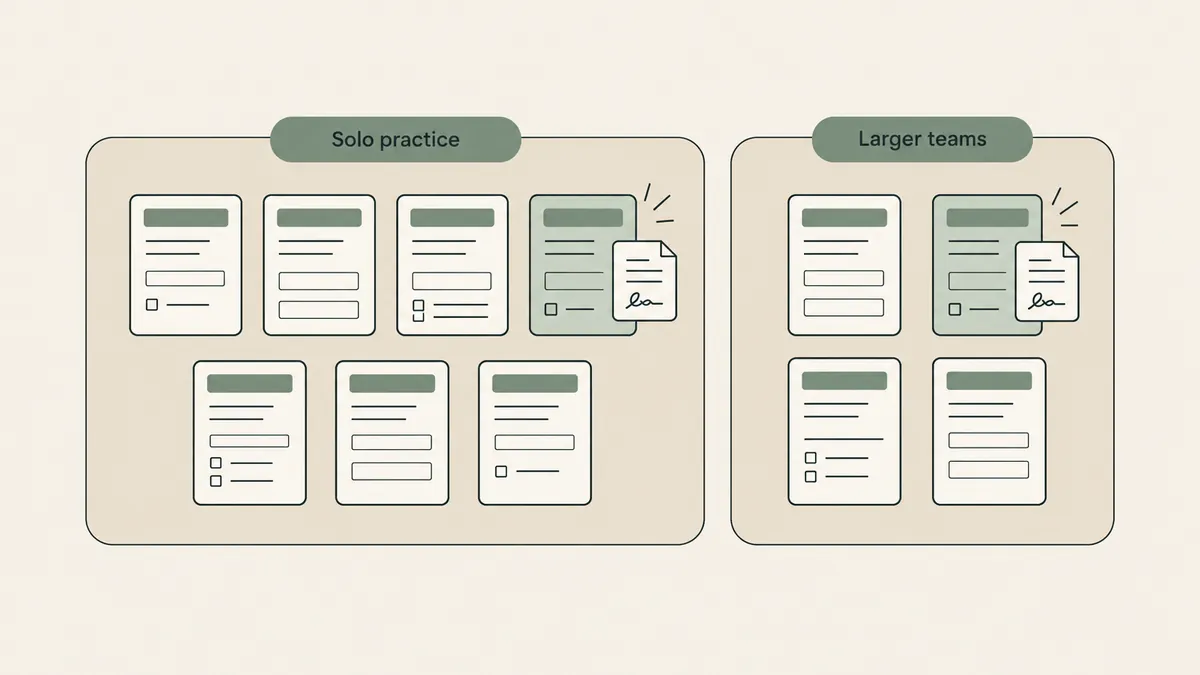
The tools a solo practice would realistically pick
Google Forms and Microsoft Forms, if you already pay for them
Google offers its BAA to Google Workspace and Cloud Identity customers. A super admin accepts it in the Admin console, and Google Forms sits on Google’s HIPAA Included Functionality list. Google also says customers who haven’t signed a BAA must not use PHI in Workspace services. So if your practice email already runs on Workspace, the form adds no new subscription. The account-by-account detail is in our post on whether Google Forms is HIPAA compliant.
Microsoft takes a different route. Its HIPAA documentation says the BAA comes by default, through the Data Protection Addendum, to customers that are covered entities or business associates. Forms is on the in-scope list. The page names no plan and doesn’t address consumer Personal or Family subscriptions.
Hushmail
All three Hushmail healthcare plans list a BAA, but forms come only with Essentials and Growth. Basic has none. Hushmail says a client’s response goes into your secure Hushmail inbox with a PDF copy attached.
Its site advertises plans with forms from $14.99 a month. The per-plan prices didn’t load for us, which is why the table sends you to the vendor.
IntakeQ
IntakeQ is the forms-only product. PracticeQ is its practice management sibling, and the vendor says a BAA is included on every PracticeQ plan. IntakeQ’s pricing page lists Forms at $54.90 a month and a low-volume forms plan at $29.90 a month, capped at 10 form submissions.
Count a typical month’s new-client paperwork against that cap before you choose the smaller plan. The documented way onto your site is a link to the form’s public URL.
Jotform
Jotform signs a BAA on Gold and Enterprise only, after you turn on its HIPAA features. The Gold price didn’t render when we checked, so get it from Jotform’s pricing page. Paid plans start at $19 a month there, but that entry plan isn’t the HIPAA tier.
Of the eleven, Jotform documents the most ways to place a form: JavaScript, iFrame, a WordPress option, pop-up, and lightbox. Setup steps are in our post on whether Jotform is HIPAA compliant.
Paubox Forms and HIPAAtizer
Paubox says every account includes a BAA at no extra charge, and Forms comes free with its paid Email Suite plans. The price didn’t display for us. A June 2026 vendor post says the forms can now be embedded in any website.
HIPAAtizer is the one that fits a WordPress contact page most directly. The vendor hosts the form on its own servers, and you pull it into your page by shortcode, snippet, link, or plugin. Paid plans list a BAA, starting with Simple Compliance Gold at $34 a month. There’s a free developer sandbox too, but we couldn’t confirm a BAA comes with it. Plan on a paid tier.
HIPAA form builder options priced for larger teams
Four tools put the BAA behind a higher tier or a sales call.
- Cognito Forms signs a BAA on Enterprise only, listed at $174 a month on monthly billing, and not during a trial. The Pro ($24) and Team ($49) plans don’t qualify.
- Formstack offers a standard BAA, and its pricing table shows HIPAA as an add-on to the Forms plan ($99 a month billed monthly, $83 paid annually). No add-on price is listed.
- Typeform provides a BAA on Enterprise or Growth Custom plans. Its self-serve Basic, Plus, and Business plans ($29, $59, and $99 a month) don’t list HIPAA.
- FormDr, now branded FormDoctor, lists a BAA on its Core and Complete plans and publishes no prices. It names WordPress, Wix, and Squarespace as places its forms embed.
A solo therapist paying $174 a month for a contact form has overbought. These make sense when several clinicians share forms, or when the organization already owns the tool.
Form tools that say no, or say nothing
Gravity Forms
Gravity Forms states that it won’t sign a BAA, because it doesn’t host or store your form data. Entries are stored with your own site, on your own hosting. So the hosting company becomes the question.
We’ve published a Hostinger setup guide, and Hostinger is a fine home for a brochure site. Its hosting agreement also says the service isn’t intended to provide a HIPAA-compliant environment. Keep intake answers off it.
Squarespace form block
Squarespace says its form block can’t be part of a HIPAA-compliant solution. Its BAA covers Acuity Scheduling only, on Acuity’s Premium or Powerhouse plan.
Wix Forms
Wix is a conditional yes. It says it isn’t HIPAA compliant by default, and that a BAA is available on Business, Plus, Elite, Business Elite, and Enterprise plans. You sign it in the dashboard after activating PHI protection. Older Wix forms have to be deleted and rebuilt in the new Wix Forms, and Wix warns that PHI protection can switch off some site features.
WPForms, Fluent Forms, Wufoo, Tally, and Fillout
On these five vendors’ own sites, we found no HIPAA or BAA statement as of September 30, 2026. That’s silence. It isn’t a refusal. Ask the vendor in writing, and keep health details out of the form until you hold a signed agreement.
Where can I find HIPAA compliant forms for my website?
You get HIPAA compliant forms for your website from a form vendor that signs a BAA with your practice. Then you add the form to your site with a link or an embed code. The form and its submissions stay with the vendor. Your website only displays it, on WordPress, Squarespace, or Wix.
A button that links to the hosted form works on every platform and every plan. Nothing to paste, nothing to break when your theme updates. IntakeQ documents this route, and it’s how we’d place a long intake packet.
An embed puts the form inside your own page. You paste the vendor’s code into a code or embed element, and visitors never leave your site. On Squarespace and Wix, confirm your plan allows custom code before you count on it. For a short inquiry form, embedded HIPAA compliant web forms are worth the extra step, because a contact page with a working form on it looks finished.
Say your WordPress contact page runs Gravity Forms today. The swap is one page edit: remove the old form, paste the new tool’s embed, and send a test entry.
Setting up contact forms through providers that sign a BAA is part of how we build sites, including Website in a Week. You sign the agreement with the vendor. We handle the embed.
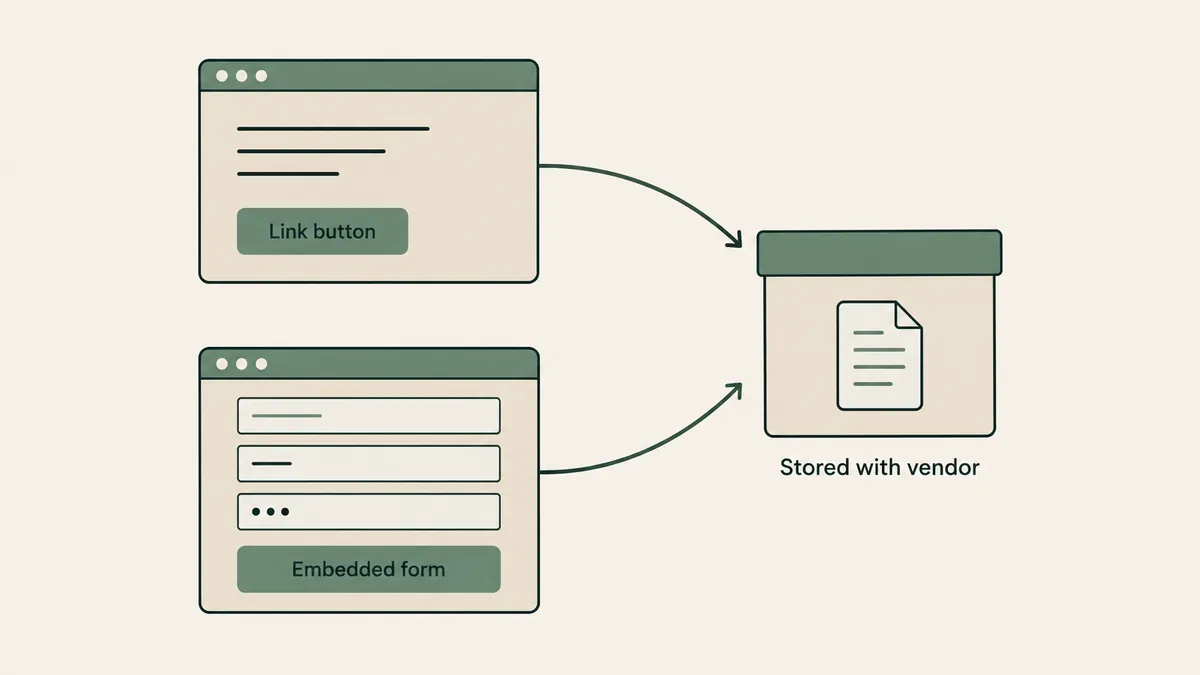
Where form submissions land matters as much as the form
Picture your phone face-up at dinner. A notification preview lights up: “New form entry: panic attacks, prefers evenings, insurance ID attached.”
The form was covered by a BAA. Whichever inbox that email just landed in may not be.
Our recommendation is one setting. Have the notification say “you have a new submission” and nothing else, then read the answers inside the tool. Here’s what each vendor documents:
- Jotform: in HIPAA accounts, fields you’ve marked as PHI are removed from the notification email.
- Cognito Forms: tells you to review your email notifications and lets you mark fields as protected so they aren’t sent by email. You configure this yourself.
- HIPAAtizer: says PHI can be included in notifications, because it travels as an encrypted PDF.
- Hushmail: delivers the response to your Hushmail inbox.
- Paubox: stores submissions in your Paubox account and sends notifications as you configure them. It doesn’t say what those emails contain.
For Google Forms, Microsoft Forms, Typeform, Formstack, IntakeQ, FormDr, and Wix, we have no vendor statement to point to on whether the notification email includes the answers.
With that last group, send yourself a test entry and read the email before the form goes live.
Tracking inquiries once they arrive is a separate decision, covered in our guide to CRM software for therapy practices.
What website builders are HIPAA compliant?
No website builder makes a practice HIPAA compliant by default. Wix offers a BAA on its Business and higher plans once PHI protection is on. Squarespace’s BAA covers Acuity Scheduling only. Self-hosted WordPress is open-source software with no vendor to sign anything, so your hosting company and plugins decide it.
A brochure site doesn’t store PHI. The parts that touch client information are the form, the booking tool, and email, which is why the form vendor matters more than the builder. We go platform by platform in our post on the HIPAA compliant website builder question.
Which setup fits your practice
A solo practice that needs a contact form. The best HIPAA compliant form builder here is the least tool that signs a BAA: Hushmail if you also want secure email, HIPAAtizer on WordPress, or Google Forms if you’re on Workspace. Keep the form to name, contact details, preferred time, and a short optional message.
You’re on Google Workspace already. Have your super admin accept the BAA in the Admin console, build the form in Google Forms, and embed it. No new subscription.
Your EHR has a client portal with intake paperwork. Most solo practices don’t need an intake-form product at all. Keep the website form to a short inquiry and send paperwork through the EHR. SimplePractice, for one, lists an integrated contact form on all plans, with the widget for outside websites on its $99 Plus plan. TherapyNotes documents a link from your site to its client portal, where a practice can let new clients request appointments. Our comparison of EHRs for solo therapists covers the rest.
Practices sending intake packets without an EHR portal. IntakeQ Forms is the purpose-built option. Jotform Gold is the general builder with a HIPAA tier.
A group practice with an intake coordinator. Shared access and seat pricing start to matter. IntakeQ lists extra practitioner seats at $20 each on its Forms plan, and the enterprise-priced tools above become reasonable. Decide who reads submissions, and from which device, before you choose.
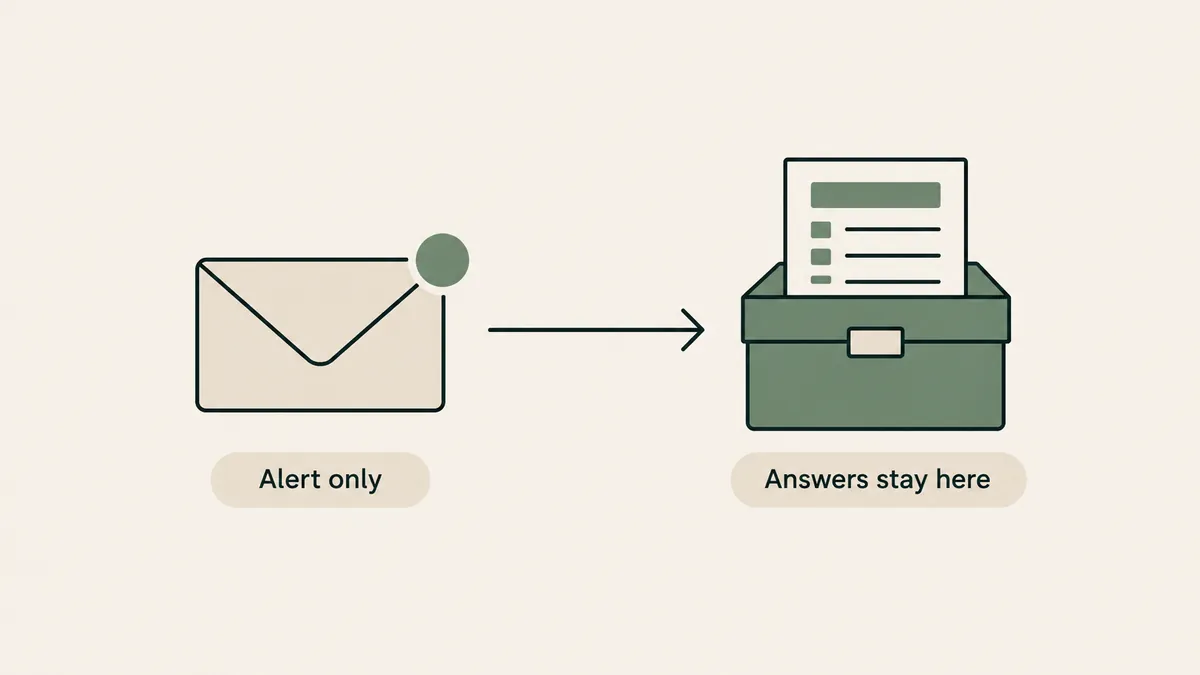
What a form tool won’t do for you
Adding a separate HIPAA compliant form builder means one more subscription and one more login. At $34 a month, HIPAAtizer’s lowest paid plan comes to $408 a year (our arithmetic: 34 times 12). For a practice whose EHR already has a portal, that’s money spent twice.
No form tool makes a practice compliant, either. The BAA covers the vendor’s side. Who holds the login, and which laptop the PDFs get downloaded to, are yours to manage.
There’s a limit on our side too. Therapeia builds websites. We don’t sell a form tool, and we can’t sign a BAA on your behalf. Our part is setting the form up and embedding it. The agreement is between you and the vendor.
Questions therapists ask about HIPAA forms
Is there a free HIPAA compliant form builder?
We couldn’t confirm a BAA on any vendor’s free plan. The closest thing to free is Google Forms or Microsoft Forms when you already pay for Workspace or Microsoft 365. HIPAAtizer has a free developer sandbox, but whether a BAA comes with it is unclear.
Is Jotform HIPAA compliant on the free plan?
No. Jotform says its HIPAA features are available on Gold and Enterprise plans only, and the signed BAA comes after those features are enabled. The Starter, Bronze, and Silver plans don’t include them.
Can I use my personal Gmail account for Google Forms intake?
Google offers its BAA to Google Workspace and Cloud Identity customers, accepted by a super admin in the Admin console. It also says customers without a BAA must not use PHI in those services. Use a Workspace account for anything a client fills out.
Can I keep Gravity Forms on my WordPress site?
For a newsletter signup, yes. For inquiries or intake, remember that Gravity Forms says it won’t sign a BAA and that entries are stored on your own hosting. You’d need a hosting company willing to sign one. Hostinger’s terms, for example, say its service isn’t a HIPAA environment.
Does signing a BAA make my forms compliant?
It meets one requirement. You still have to switch on the vendor’s HIPAA settings, control who can log in, and handle notification emails and downloads carefully. HHS says a private certification doesn’t relieve a practice of its own obligations.
For most solo practices, the right HIPAA compliant form builder is the smallest one: a short inquiry form on a tool that has signed your BAA, with the paperwork left to your EHR. If you’d like that set up as part of a site built around your practice, get a custom quote through our Website Inquiry Form. The consultation is free.