You want a better place to track inquiries than a sticky note, and somebody told you to make sure the CRM is HIPAA compliant. Here’s the short version. No HIPAA compliant CRM exists as a product you can buy off a shelf. A vendor can sign a business associate agreement (BAA), usually on one specific tier, and your setup has to do the rest.
General CRMs mostly reserve that agreement for enterprise plans: HubSpot, monday.com, Airtable, and Notion all tie it to their top tier. Therapy-specific tools such as TheraSaaS, Admirra, and Therapy Flow include it. For a small practice, the realistic list is short. One of those three, the inquiry list already inside your EHR, or a plain log in a spreadsheet under an account with a BAA.
Whether you need a CRM at all is a separate question, and we cover it in our guide to CRM software for therapy practices. What follows is the BAA breakdown: who signs, on which tier, at what listed price, with what conditions.
This is general information, not legal advice; confirm the details with your own counsel or compliance resource.
What does “HIPAA compliant CRM” mean in practice?
A “HIPAA compliant CRM” is a CRM whose vendor will sign a business associate agreement with your practice, usually on a named plan, and which you set up and use within HIPAA’s rules. HHS treats a vendor that stores or transmits PHI on your behalf as a business associate. Software alone is never compliant.
That comes from HHS’s business associate guidance: a practice may share PHI with a vendor once it has written assurances, in a BAA, that the vendor will safeguard it.
So the question for a CRM vendor has three parts: whether it signs a BAA, on which plan, and which features the agreement leaves out.
Most roundups get this wrong. They print “HIPAA compliant” next to a brand name and skip the tier.
General CRMs mostly keep the BAA on their top tier
Prices below are standard list prices, checked on September 30, 2026. They change often, so confirm on the vendor’s page before you budget. The last column is our opinion; the rest is what each vendor publishes.
| CRM | BAA available? | Tier and conditions | Listed price of that tier | Realistic for a small practice? |
|---|---|---|---|---|
| HubSpot | Yes | Enterprise subscriptions only, with Sensitive Data Protection turned on | Sales Hub Enterprise starts at $150/mo per seat, plus a one-time $3,500 onboarding fee | Rarely |
| Salesforce | Yes | BAA must name the covered service; requested through your account representative | Health Cloud from $350 per user/month, billed annually. Sales Cloud: see vendor | Larger groups only |
| Zoho CRM | Yes, as a BAA template on request | Requested by email; Free edition excluded; minimum paid edition not confirmed | See vendor (USD price not verified) | Possibly |
| monday.com (monday CRM) | Yes | Top tier only: Enterprise in the support article, shown as Ultimate on the CRM pricing page | Custom price, contact sales | Unlikely |
| Pipedrive | No | Terms say it isn’t designed for HIPAA and health data should not be stored | Not applicable | No |
| Keap | Yes, per its BAA page | BAA link redirects to Thryv’s CRM BAA page; email and SMS excluded from PHI use | Starts at $299/month with 2 user licenses | Limited: email and texting are out |
| ActiveCampaign | Yes, on eligible plans | Plans not named; HIPAA support listed only under Enterprise | See vendor | Confirm plan and price first |
| Freshsales | Unclear | Two live Freshworks support articles conflict on scope | Not applicable | Not until Freshworks confirms |
| Airtable | Yes | Enterprise Scale plan only; starts with an account executive | Custom, contact sales | No |
| Notion | Yes | Enterprise plan only; beta features not covered | Custom, contact sales | No |
| Plutio | No explicit BAA statement found | Pages we read don’t mention HIPAA, PHI, or a BAA | Not applicable | Ask the vendor first |
Freshsales is the one we can’t call. A 2020 Freshworks support article puts Freshsales inside its BAA, while a 2023 article lists four other Freshworks products and says ePHI anywhere else won’t be covered. Both are still live, so the scope is unclear until Freshworks confirms it in writing.
Is HubSpot HIPAA compliant?
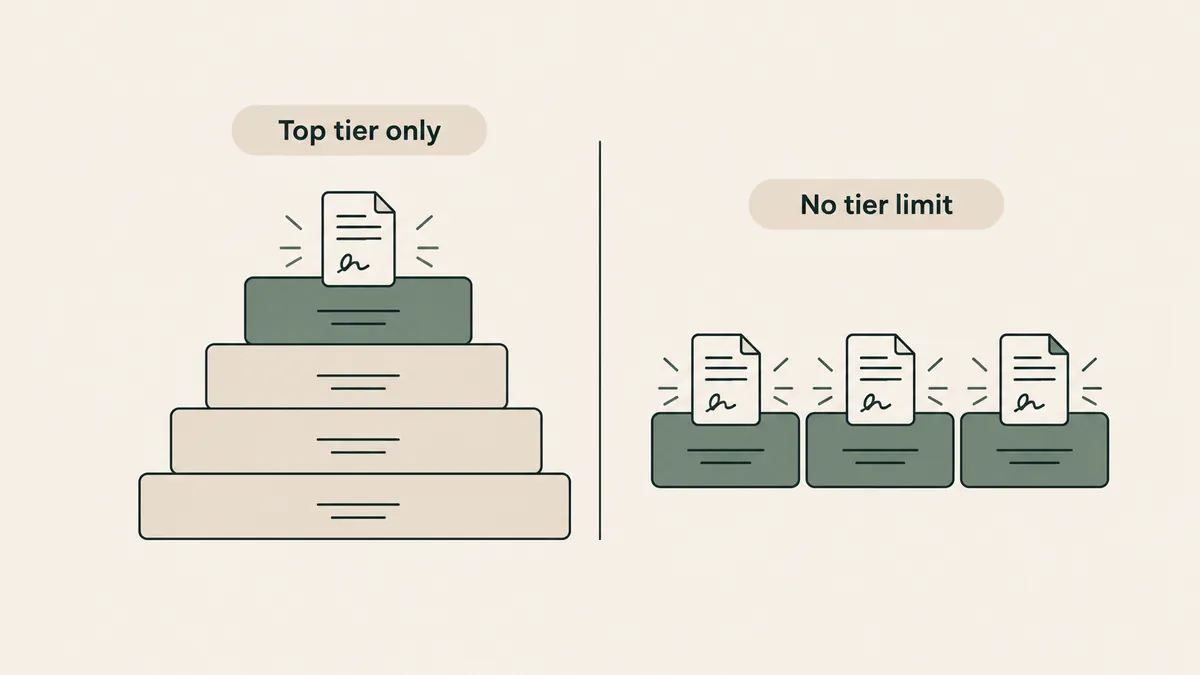
Not by default. HubSpot offers a BAA only on Enterprise subscriptions, and only after an admin turns on Sensitive Data Protection and selects both the health-data and HIPAA options. Sales Hub Enterprise starts at $150 per seat per month, plus a one-time $3,500 onboarding fee. The Free and Starter tiers aren’t covered.
HubSpot’s knowledge base lists six Enterprise subscriptions that qualify, Sales Hub and Smart CRM among them. An admin checks two boxes: one for health or medical data, one confirming the account belongs to a HIPAA-covered entity or business associate. Once Sensitive Data is on, it can’t be turned off.
The listed limits matter too. Sensitive-data properties aren’t available in personalization tokens, sandboxes, chatbots, or playbooks. And the free plan ($0 for up to 2 users), the one most small practices would start on, sits outside all of this.
Our view: skip HubSpot unless your practice already employs someone who administers it.
Zoho and Salesforce need a conversation before you buy
Zoho’s help documentation says you can request its BAA template by emailing its legal team. The Free edition is excluded. Beyond that, we couldn’t confirm the minimum paid edition, and Zoho’s pricing page served us rupee prices, so we have no verified USD price to print. Zoho also says the BAA specifies which of its apps are covered.
Salesforce signs a BAA that has to name the covered service. Sales Cloud, Service Cloud, and Health Cloud are on its covered services list. Salesforce requires you to encrypt the PHI you transmit and, where it’s within your control, the PHI you store. Health Cloud’s lowest edition is listed at $350 per user per month, billed annually. We didn’t find Starter Suite, listed from $25 per user per month, named on that list.
Therapy-specific and mental health CRM tools mostly include the BAA
| Tool | BAA available? | Tier and conditions | Listed price of that tier | Realistic for a small practice? |
|---|---|---|---|---|
| TheraSaaS | Yes | No plan restriction stated; HIPAA protections can’t be turned off once enabled | Starter $164/mo billed annually ($1,970/yr), 1 to 2 users | Yes |
| Therapy Flow | Yes | Pricing page says it signs BAAs with all clients | Basic plan shown at both $97/mo and $69/mo on its own page: confirm with vendor | Yes, once the price is confirmed |
| Admirra | Yes | All plans; the posted BAA takes effect at account creation | Foundations $99/month, 1 practitioner | Yes |
| IntakeQ / PracticeQ | Yes | All plans list the BAA; the account admin signs it in the app | From $29.90/month (forms only, 10 submissions a month) | Yes, as an intake tool more than a CRM |
| vcita | Yes | Vendor pages conflict on which plans | Kickstart $35/month, billed annually | Yes, after vcita confirms your plan |
| Welkin Health | No explicit BAA statement found | Calls itself HIPAA compliant; no page we read says it signs a BAA with customers | Request a quote | Unlikely; it’s built for care teams |
The vcita conflict is worth a minute. Its pricing page lists HIPAA and a BAA on all three current plans, while the help-center article uses older plan names, limits HIPAA to Business and Platinum accounts, and excludes Essentials. Neither page maps the old names to the new ones, so ask vcita which rule applies to your plan.
Here’s the honest trade-off. A mental health CRM costs more per month than a general CRM’s entry tier: Admirra starts at $99 and TheraSaaS at $164 (billed annually), against $12 per seat for monday CRM Basic (billed yearly) or $0 for HubSpot’s free plan. But the entry tier is the one you can’t use for client information.
What the BAA doesn’t cover is the part buyers miss
A signed BAA covers the services the vendor names. It doesn’t cover everything with the vendor’s logo on it.
- Keap. The Thryv BAA page it redirects to says the CRM’s email and SMS features aren’t for PHI.
- monday.com. Third-party apps aren’t covered, and public sharing is disabled on HIPAA accounts.
- Notion. Beta features sit outside the agreement. Notion also says it can’t be used to communicate with the people you treat or their families, and that PHI doesn’t belong in workspace or file names.
- HubSpot. Its BAA covers the services HubSpot has explicitly authorized for PHI.
- Zoho. Only the apps named in the BAA.
Say you buy a CRM mainly to text new inquiries a nudge to finish their paperwork. You sign the BAA and build the automation. Then you learn that texting is the one feature the agreement carves out.
Get the exclusions in writing before you pay.
The option no CRM vendor mentions: keep PHI out of the CRM
For most small practices, this is what we recommend. Don’t put client information in a CRM at all.
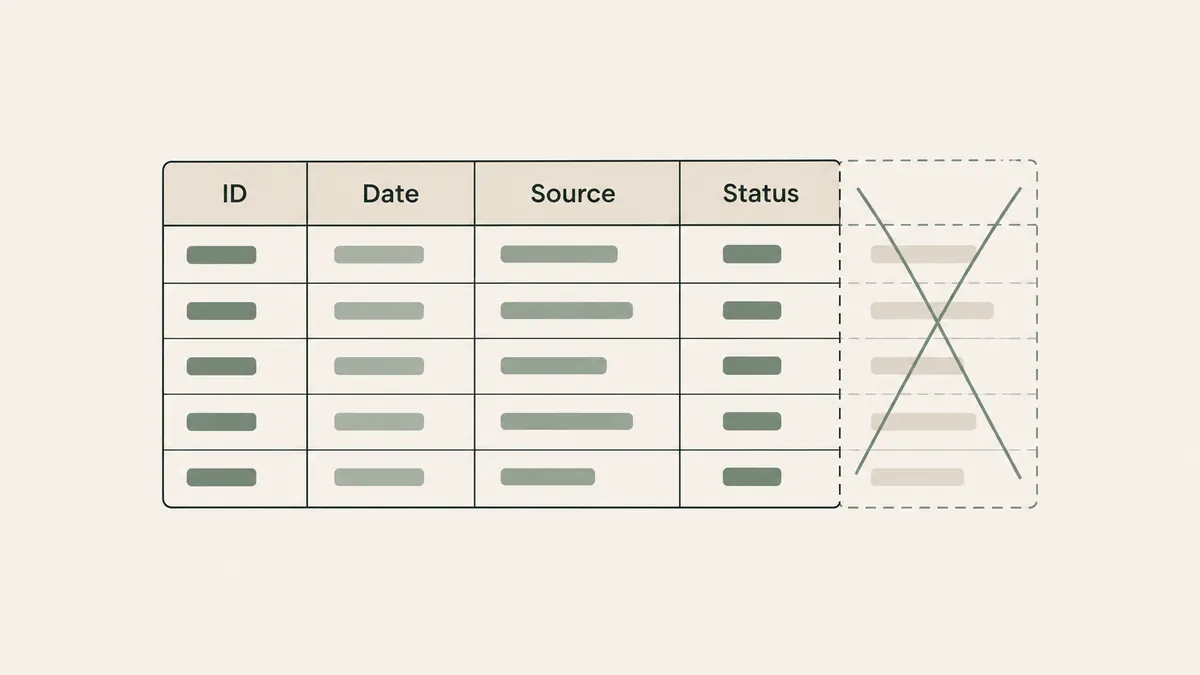
An inquiry log needs four fields: initials or an ID number, the date, the source (Psychology Today, Google, a referral), and a status such as called back, scheduled, or not a fit. That’s enough to see which channels bring inquiries and how many become first sessions. Names, phone numbers, and anything clinical stay in your EHR or your form tool, under those BAAs.
SimplePractice documents an Inquiries page that shows prospective clients from its Therapy Finder, Professional Website, and Client Portal in one place, with appointment status. The article doesn’t say which plans include it, so check yours. TherapyNotes documents appointment requests from new clients through TherapyPortal, which land on your To-Do list.
The limit is real. A lean log is only as good as your discipline about what gets typed into it. The day someone adds “panic attacks, referred by her PCP” to a notes column, it has become a clinical record in the wrong place.
One caution. HHS publishes no sentence saying a website inquiry (a name plus the fact that someone is seeking therapy) is PHI. We treat it as PHI anyway. That’s our interpretation, and we aren’t claiming a log of initials and dates falls outside HIPAA. Keep the log itself somewhere a BAA applies.
A spreadsheet works only under an account with a BAA
A spreadsheet is a legitimate inquiry log on one condition: it lives in an account where the BAA is in place.
Google Sheets is on Google’s HIPAA Included Functionality list, under Drive. The BAA is offered to Workspace and Cloud Identity customers, a super administrator accepts it in the Admin console, and Google says customers without a BAA must not use PHI in Workspace services. Microsoft makes its BAA available by default through its Online Services Data Protection Addendum to customers that are covered entities or business associates, and lists Office 365 as in scope.
The inquiry starts at your contact form, so the form needs the same scrutiny. Our review of HIPAA form builders covers which ones sign a BAA, and the HIPAA compliant website builder post does the same for site platforms. In our private practice website design work, contact forms go through providers that sign a BAA. We build websites; we don’t sell a CRM.
The best HIPAA compliant CRM for a small practice, by size
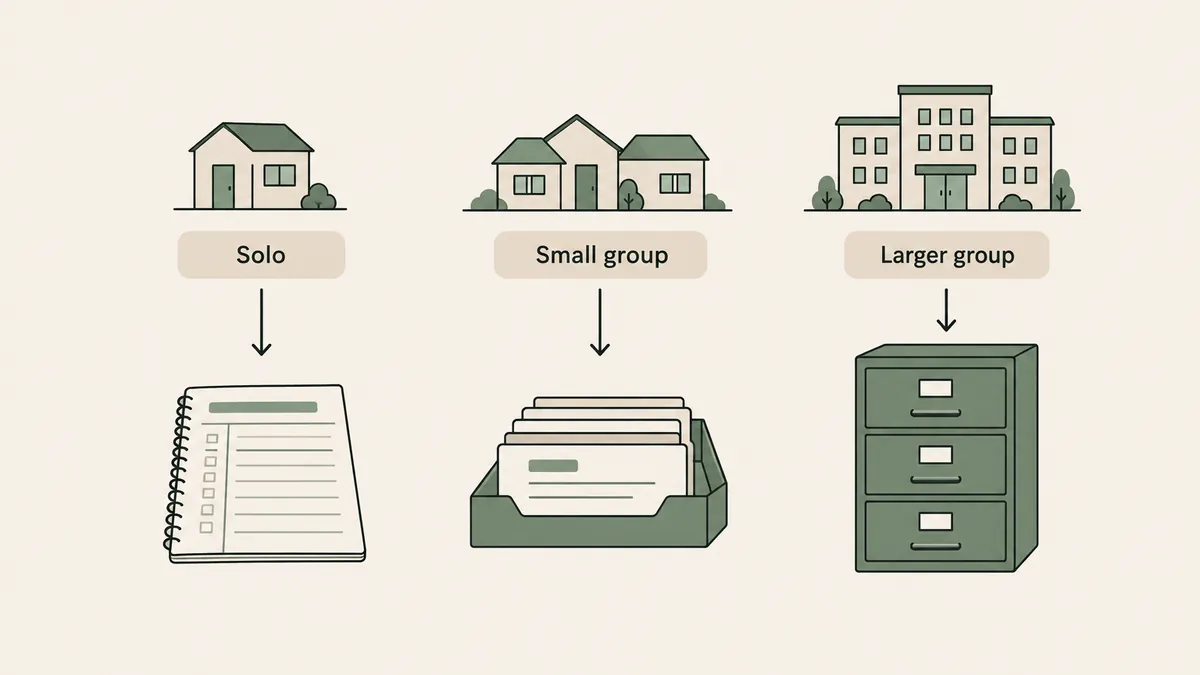
- Solo practice. Skip the CRM. Your EHR’s inquiry list or a BAA-covered spreadsheet will carry you.
- Small group, 2 to 10 clinicians. If inquiries are slipping between people, a therapy-specific tool is the first HIPAA compliant CRM for a small practice we’d look at. Admirra’s Collective plan is $199/month for 2 to 5 practitioners. TheraSaaS Essentials is $248/mo billed annually for 3 to 10 users. Therapy Flow’s Basic plan lists lower; confirm which price is current.
- Larger group with an intake team. Now a dedicated system earns its cost. TheraSaaS Premium ($414/mo billed annually) allows unlimited users, and Admirra’s Growth plan is $299/month for 6 to 20 practitioners. HubSpot Enterprise or Salesforce Health Cloud make sense only with an administrator on staff.
Before a group buys anything, check what its practice-management system already does. Our comparison of EHRs for group practices is the place to start.
Questions therapists ask about HIPAA and CRMs
Is there a free HIPAA compliant CRM?
We didn’t find one among the tools we checked. HubSpot’s free plan and Zoho’s Free edition sit outside their BAA terms, and Airtable and Notion keep the BAA on Enterprise plans. The closest thing to no added cost is the inquiry list in an EHR you already pay for.
Does signing a BAA make a CRM HIPAA compliant?
No. The BAA is one requirement. How you configure the account, who has access, and which features you use still matter, and some features (email, SMS, third-party apps, beta tools) can sit outside the agreement.
Is Pipedrive HIPAA compliant?
No. Pipedrive’s terms of service say the product isn’t designed for HIPAA, and customers agree not to store sensitive information, which its terms define to include health data. Use it for non-client work, or not at all.
What’s the best HIPAA compliant CRM for a group practice?
It depends on who answers inquiries. TheraSaaS and Admirra both describe themselves as built for therapy practices, and neither limits the BAA to an enterprise tier on the pages we read. We haven’t used either one, so book a demo and ask which features the BAA excludes.
For most small practices, the right HIPAA compliant CRM is no CRM: a lean inquiry log inside a system that already has a BAA. When you outgrow that, buy the tool whose BAA covers the features you’ll use. If the website and form side of your inquiry process needs work, get a custom quote through the Website Inquiry Form.