A CRM for therapists is software that tracks people who’ve contacted your practice but aren’t clients yet: who reached out, where they found you, and whether anyone replied. Your EHR takes over once someone is on your caseload.
Most solo practices don’t need one. A one-page inquiry log does the same job for free. The math changes for a group practice with an intake coordinator and more inquiries than anyone can track by memory. There, a CRM pays for itself.
What is CRM for therapists?
A CRM for therapists is customer relationship management software used to track prospective clients before their first session. It records each inquiry, its source, its status, and the next follow-up step. Progress notes and claims don’t go in it. Those stay in your EHR. In a therapy practice, a CRM is an inquiry tracker.
The term comes from sales teams, which is why it sounds odd in a clinical setting. Vendors selling to clinicians call the same thing a mental health CRM or a therapy CRM.
Most guides on this topic are written by companies that sell a CRM, or by consultancies paid to set one up. We build websites and don’t sell one, so we can say it plainly: many of the people searching for a CRM can skip it.
Your EHR holds the clinical record. A CRM holds the inquiries.
People confuse the two because both keep a list of names. The lists are different.
| EHR | CRM | |
|---|---|---|
| What it stores | Intake paperwork, progress notes, treatment plans, appointments, billing | Inquiry date, source, contact details, status, follow-up dates |
| Who’s in it | Current and former clients | People who’ve asked about therapy and haven’t booked |
| Who uses it | Clinicians, billers | Whoever answers inquiries: you, an intake coordinator, the front desk |
| Main job | Document care and get paid | Make sure every inquiry gets a reply |
| When the person moves | Record opens once a first appointment is booked | Entry closes as “booked” or “not a fit” |
Say a prospective client fills out your contact form at 11 p.m. on a Sunday. The notification lands between two insurance emails, and by Wednesday nobody has written back. Your EHR can’t flag that. The person isn’t in it yet.
That gap is why the category exists. If you’re still choosing the clinical side, see our guide to the best EHR systems for therapists.
Your EHR may already track some of your inquiries
Check what you already pay for first.
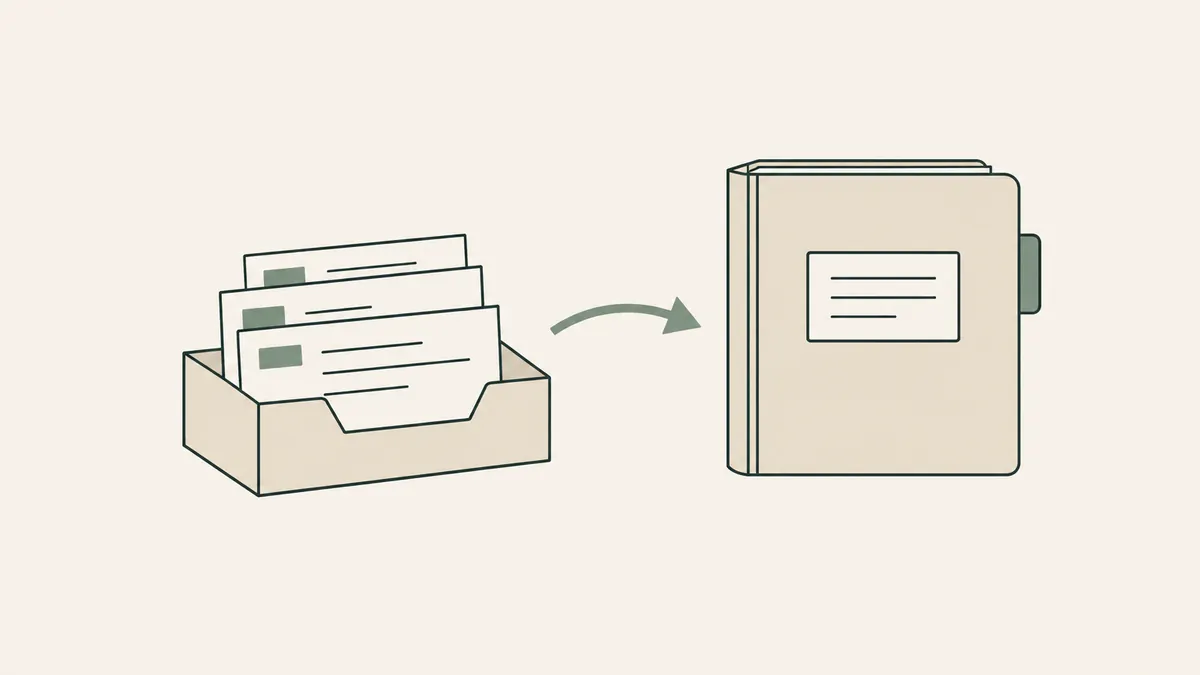
SimplePractice documents an Inquiries page that shows your prospective clients in one place. Per its support article, the page collects contact-form submissions from Therapy Finder, the Professional Website, and the Client Portal, along with online appointment requests. It shows whether each person has a pending request, a scheduled appointment, or nothing booked. The article doesn’t say which plans include it, so confirm on yours.
One limit: SimplePractice says its appointment-request widget, the piece you’d add to your own website, is available on the Plus plan only. Plus lists at $99 a month; Starter is $49 and Essential is $79.
TherapyNotes documents new-client appointment requests through its client portal. You can let new clients request a time, pending requests show up on your To-Do list, and the requests page tells you whether the person is new to your practice. The pages we read don’t describe a separate inquiry tracker beyond that. Its solo plan lists at $69 a month.
Neither feature is a full CRM. Both describe inquiries that arrive through the vendor’s own forms and portal. The pages we read don’t describe pulling in a voicemail or an email from your Psychology Today profile, so plan on logging those yourself.
Most solo practices need an inquiry log, not a CRM for private practice
An inquiry log is four columns.
| Date | Source | Status | Next step |
|---|---|---|---|
| Oct 6 | Website contact form | Replied, waiting to hear back | Follow up Oct 9 |
| Oct 7 | Psychology Today | Consult call booked | Send portal invite |
| Oct 9 | Referral from a colleague | No opening that fits | Offer waitlist or refer out |
Every inquiry gets a row the day it arrives. Once a week, you scan the Status column for anything still open. Ten minutes, and nobody waits nine days.
Notice there’s no name column. That’s on purpose, and it’s where the spreadsheet question needs a precise answer.
Google Sheets sits on Google’s HIPAA Included Functionality list. That only helps if your practice is a Google Workspace customer and a super administrator has accepted Google’s Business Associate Amendment in the Admin console. Google’s own guidance says customers who haven’t signed that agreement must not put PHI in Workspace services. With the BAA accepted, a name column is reasonable. Without it, number each row and let the number point back to the original email or voicemail. Keep names and the reason someone reached out off the sheet.
One caution. HHS publishes no sentence saying that a name plus the fact of asking about therapy counts as PHI. We treat it as if it does. That’s our interpretation, not a ruling. This is general information and not legal advice, so confirm the details with your own counsel or compliance resource.
A paper notebook in a locked drawer works too.
Skip the CRM until the log breaks.
Four signs a therapy CRM will earn its cost
The log breaks in predictable ways. In client audits, these are the four we see:
- Inquiries are going unanswered. You’ve found a week-old message you never replied to, and it wasn’t the first time.
- Several clinicians, different openings. One has daytime slots, one is full, one only sees couples. Matching each inquiry to the right person takes more than memory.
- You’ve hired an intake coordinator. Someone whose job is returning calls needs a shared record, so a colleague can pick up the thread on their day off.
- Marketing spend you want to measure. If you pay for ads or SEO for therapists, you’ll want to know which source produced booked first sessions. That’s the report a CRM is built for.
One sign is a nudge. Two or more, and the software is likely worth its subscription. Growing groups tend to hit the second and third together (our EHR for group practices guide covers the records side of that growth).
The best CRM for therapists depends on which group you shop in
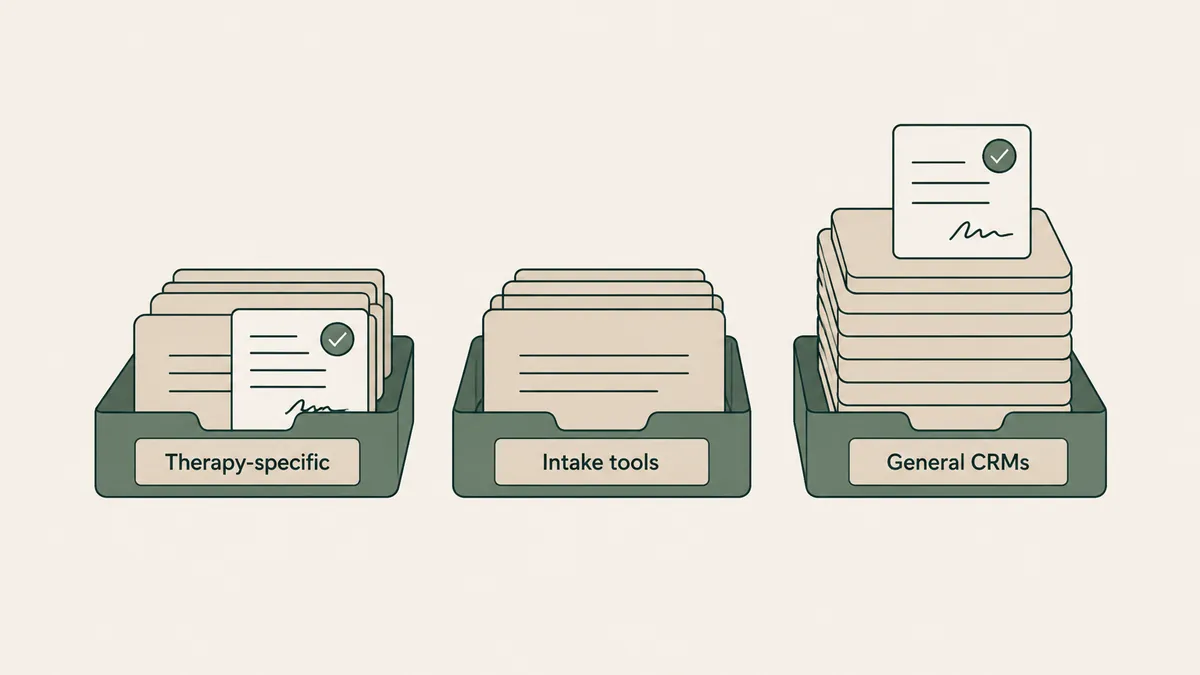
There are three groups, and the BAA terms differ more between groups than between products. Prices below are standard list prices checked on each vendor’s site on September 30, 2026. They change often.
| Product | Type | BAA | Listed starting price |
|---|---|---|---|
| TheraSaaS | Therapy-specific CRM | Yes; no plan restriction stated | Starter $164/mo billed annually ($1,970/yr), 1 to 2 users |
| Therapy Flow | Therapy-specific CRM | Yes; vendor says it signs with all clients | Basic Plan shown at both $97/mo and $69/mo; confirm with vendor |
| Admirra | Therapy-specific CRM and practice management | Yes, all plans | Foundations $99/month, 1 practitioner |
| IntakeQ / PracticeQ | Intake forms and practice management | Yes, all plans; admin signs in-app | $29.90/month (Forms Only low volume, 10 submissions a month) |
| vcita | General small-business management | Listed on all three current plans; a help article using older plan names limits it | Kickstart $35/month, billed annually |
| HubSpot | General CRM | Enterprise subscriptions only, with Sensitive Data Protection on | Free plan $0; Sales Hub Enterprise from $150/seat/month plus a one-time $3,500 onboarding fee |
| Zoho CRM | General CRM | BAA template on request; HIPAA settings not on the Free edition | Free edition for 3 users; USD paid prices not confirmed |
| Pipedrive | General sales CRM | No | Lite US$14/seat/month, billed annually |
| monday.com (monday CRM) | Work management with a CRM product | Top tier only | Basic $12/seat/month billed yearly; top tier is custom-priced |
Therapy-specific CRMs (the mental health CRM group)
TheraSaaS, Therapy Flow, and Admirra are built for this exact use. Each states that it signs a BAA, and none of the three lists a plan restriction on it. Admirra’s posted agreement takes effect when you create the account. Therapy Flow’s pricing page shows two different prices for its Basic Plan, so get the current figure from the vendor in writing.
Intake and practice tools with CRM-like features
IntakeQ (also branded PracticeQ) starts from forms and adds practice management. Its BAA is signed in-app by the account admin. vcita is a general small-business tool with scheduling, client management, and payments. Its pricing page lists a BAA on all three current plans, while a help-center article that uses older plan names limits HIPAA use to certain accounts. Ask vcita which applies to your plan before any client information goes in.
General CRMs
This is where the free plans live, and where the BAA tends to sit on the most expensive tier. HubSpot’s BAA applies only to Enterprise subscriptions with Sensitive Data Protection switched on. monday.com offers it on its top tier only. Zoho provides a BAA template by email request, and its HIPAA settings aren’t available on the Free edition.
Pipedrive’s terms of service go further. They say the product isn’t designed to comply with HIPAA, and customers agree not to store sensitive information in it, a term that includes health data. For a therapy practice, those terms take it off the list.
Plutio also markets a CRM to therapists, and the pages we checked publish no statement about HIPAA or a BAA. Ask first.
Our opinion: if you’re a small group, start with the first two groups. A free general CRM looks like a bargain until you check which tier carries the BAA. For the tier-by-tier detail, read the sister post on choosing a HIPAA compliant CRM.
Which CRM software is HIPAA compliant?
No CRM software is HIPAA compliant on its own. A vendor can sign a business associate agreement (BAA) and provide safeguards, and your practice’s setup and daily use have to be compliant too. Look for a vendor that signs a BAA on the plan you’re buying, then configure it carefully.
HHS explains the reasoning on its business associates page: a vendor that creates, receives, maintains, or transmits PHI on your behalf is a business associate, and you need its written assurances before you share that information. So the useful questions are narrower than the one people type into Google: whether the vendor signs a BAA, on which plan, and what you have to switch on.
The vendor-by-vendor answer is in our HIPAA compliant CRM breakdown.
Every inquiry starts at your website’s contact form
A log or a CRM only records what reaches it. For most practices, the first stop is the contact form.
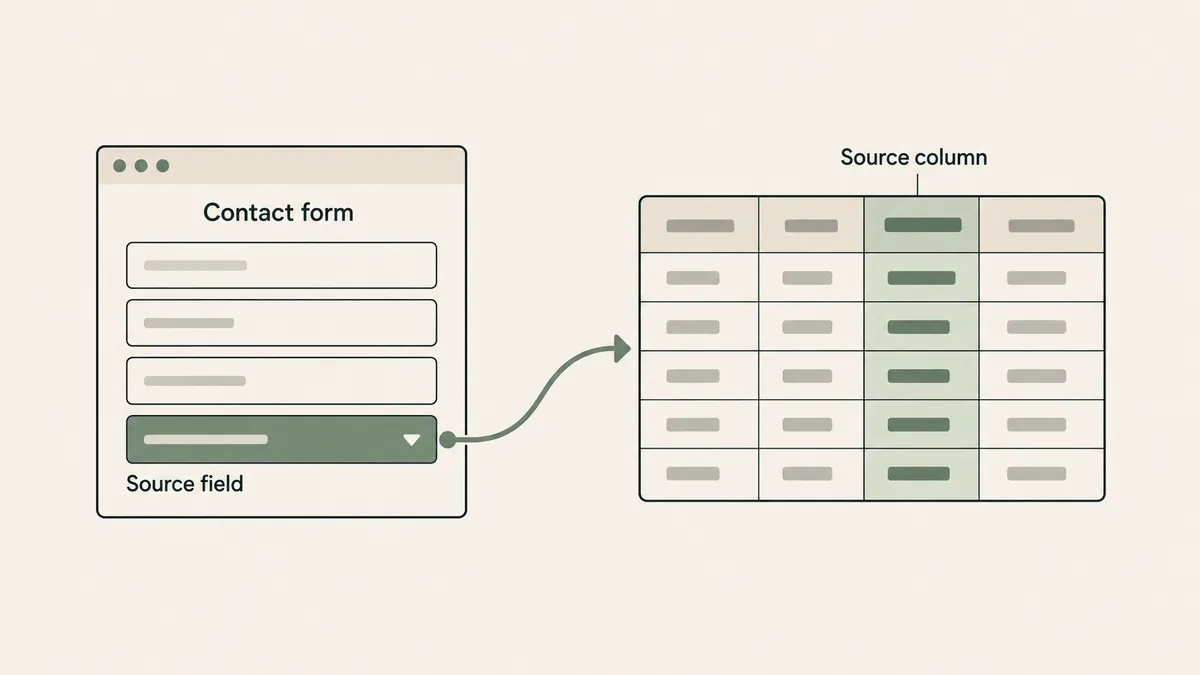
Two details on that form decide how useful your tracking is. First, where the submission goes: through a form provider that signs a BAA, to an inbox someone checks daily. Second, whether it captures the source. A short “How did you hear about us?” field fills in the Source column for you.
On every private practice website design project, we set up contact forms through providers that sign a BAA and give guidance on connecting your EHR and booking tools. The site itself is a brochure and shouldn’t store client information; the form tool does the careful part. We compare the options in our review of secure online form builders.
Say your form sends a plain email with no source field. Six months later you’re deciding whether to keep paying for a directory listing, with no record of what it brought in. One dropdown would have answered that.
A CRM is one more subscription and one more place client information lives
A CRM means a monthly bill, another login, and another agreement to keep on file. It’s also a second system holding information about people who trusted you with it, so there’s a second system to secure and clean out.
For a solo clinician with a full caseload, that’s overhead. If you take four new clients a year, a CRM is tracking almost nothing.
And a limit on our side. Therapeia builds websites and doesn’t sell an EHR, a CRM, or a form tool. Everything above comes from vendors’ published terms and pricing pages. We haven’t run these products inside a practice, so book a demo before you commit.
Questions therapists ask about CRMs
Do solo therapists need a CRM?
Usually not. A four-column inquiry log (date, source, status, next step) covers a solo practice, and your EHR may already list new inquiries. Revisit the question if messages start going unanswered or you hire someone to handle intake.
Can my EHR work as a CRM?
Partly. SimplePractice documents an Inquiries page for prospective clients, and TherapyNotes documents new-client appointment requests through its portal. Both cover people who come in through the vendor’s own forms and portal, so plan on logging calls and directory emails yourself.
What is the best CRM for therapists?
There isn’t one winner, and we haven’t run these products ourselves. For a group practice, the therapy-specific products (TheraSaaS, Therapy Flow, Admirra) are the sensible starting point: each states it signs a BAA and lists no plan restriction on it.
Is HubSpot’s free CRM okay for a therapy practice?
HubSpot offers its BAA only on Enterprise subscriptions with Sensitive Data Protection turned on. That rules out the free plan for client health information.
Can I track therapy inquiries in a Google Sheet?
Yes, if your practice uses Google Workspace and a super administrator has accepted Google’s BAA in the Admin console. Without that, keep names and health details out of the sheet and use a row number instead.
Before you buy a CRM for therapists, fix the front door: a contact form that reaches you, runs through a provider that signs a BAA, and records where each person came from. Then keep a log for three months. If it holds, you’ve saved a subscription. And if your form or your site is the weak link, get a custom quote through the Website Inquiry Form and we’ll talk it through on a free consultation.