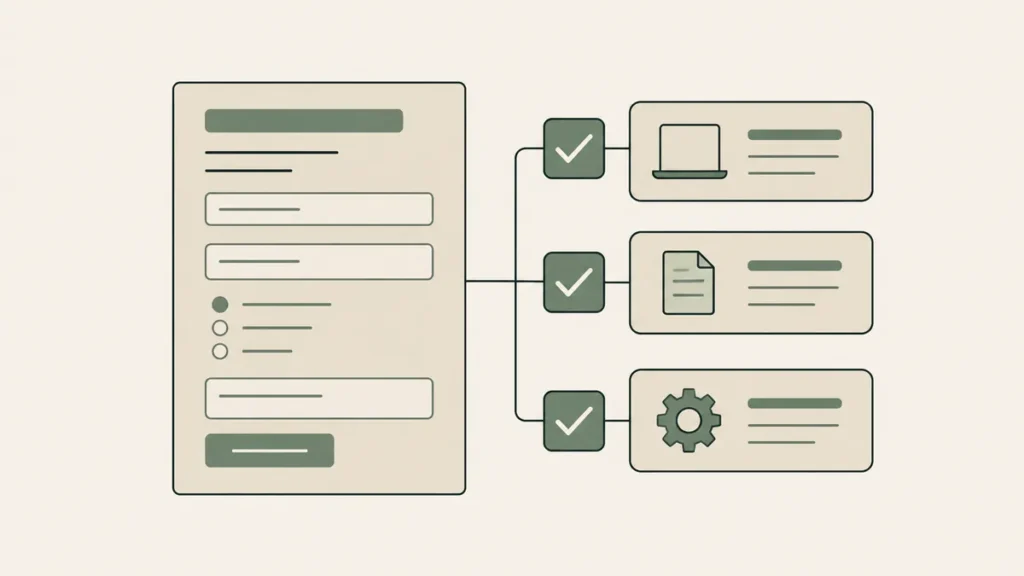
Google Forms can be used with protected health information (PHI) only when three things are true: your practice is a Google Workspace customer, a super admin has accepted Google’s Business Associate Amendment (BAA) in the Admin console, and the form is set up with that in mind. Its own help page states that customers who haven’t signed a BAA must not use PHI in Workspace services. Without all three, no.
So the honest reply to “is Google Forms HIPAA compliant” depends on which account the form lives in. Most answers to that search stop at “sign the BAA.” That’s half the job.
Is Google Forms HIPAA compliant?
Google Forms can be used in a HIPAA-compliant way only inside a Google Workspace account whose super admin has accepted Google’s Business Associate Amendment. Forms is on Google’s HIPAA Included Functionality list. A form built without that agreement in place shouldn’t collect protected health information, and the agreement alone doesn’t make your use compliant.
A tool isn’t compliant by itself: a vendor can sign a BAA and provide safeguards, and your practice’s use has to hold up its end. Google’s own HIPAA help page for Workspace says customers are responsible for working out whether they’re subject to HIPAA and whether they use PHI in Google services.
Why the agreement carries so much weight: under HHS guidance on business associates, a covered entity may disclose PHI to a vendor working on its behalf only after getting written assurances in a contract. HHS also doesn’t endorse or recognize private “HIPAA certifications,” so a badge on a vendor’s site settles nothing.
One gap. HHS publishes no sentence saying a website inquiry (a name plus the fact that someone wants therapy) is PHI. Our interpretation, and it is only ours, is the cautious one: treat it as if it were. This is general information and not legal advice, so confirm your setup with your own counsel or compliance resource.
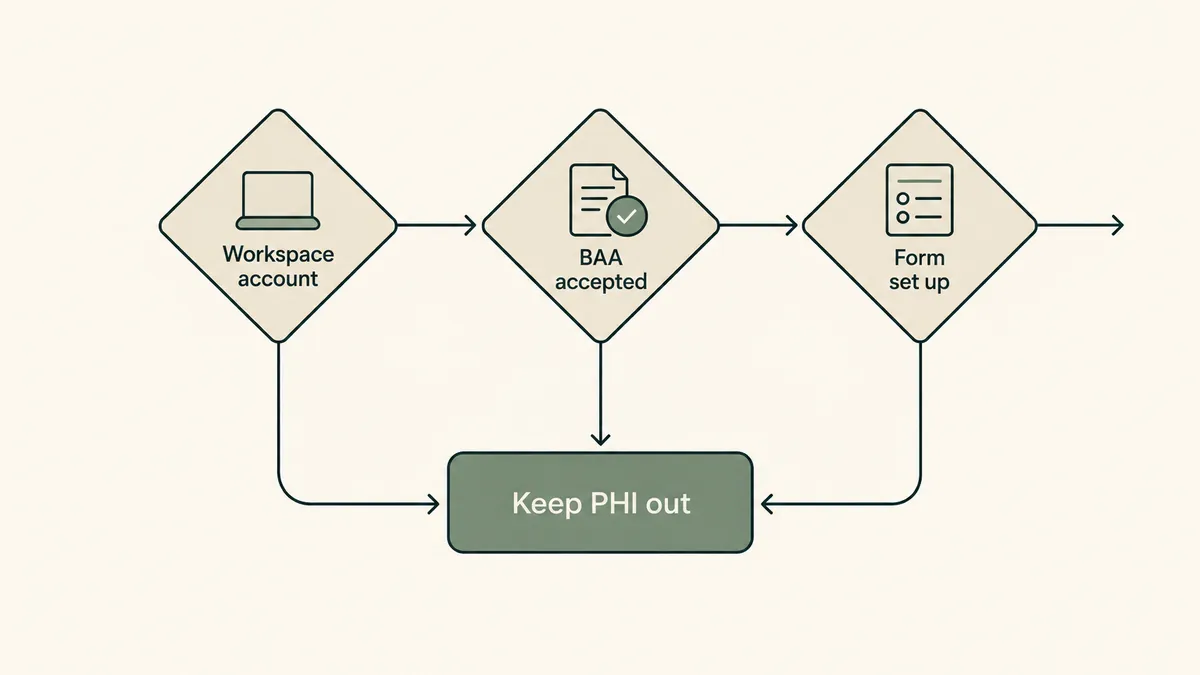
The Google Workspace BAA sits in the Admin console, which a personal Gmail account doesn’t have
Google offers its BAA to Google Workspace and Cloud Identity customers, and it’s accepted electronically in the Admin console. Google’s pages don’t say in so many words that a free personal Gmail account can’t get one. They don’t have to. Google’s sign-in help says the Admin console is available only when you’re signed in to an admin account, and that an admin account’s address doesn’t end in @gmail.com.
Say you built your intake form three years ago under the Gmail address you’ve had since grad school. There’s no Admin console behind that account, so there’s nowhere to accept the amendment. No BAA, no PHI.
Moving to Workspace is affordable. Google lists Business Starter, its lowest Business edition, at $8.40 per user per month on the Flexible Plan or $7 on the Annual/Fixed-Term Plan. (Prices checked September 30, 2026. They change often.) The Google pages we read don’t tie the BAA to a particular edition, so confirm the amendment appears in your Admin console before you build.
How to set up HIPAA compliant Google Forms in four steps
“HIPAA compliant Google Forms” really means a form built inside a Workspace account that’s under a BAA, then configured the way Google’s own documentation describes.
- Confirm you’re on Google Workspace. Your login should be an address at your practice’s domain, managed through an Admin console. If you sign in with an @gmail.com address, stop here.
- Have the super admin review and accept the BAA. Google documents the path like this: from a super administrator account, go to the Admin console Home page, then “Account settings,” then “Legal and compliance.” In a solo practice, the super admin is usually you.
- Build the form inside that Workspace account. Google describes the BAA as an addendum to your Workspace agreement, so create and keep the form there. Rebuild any old form that lives in a personal Google account. (The rebuild advice is ours, not Google’s.)
- Review the settings Google’s guide calls out. There are four.
Google’s HIPAA implementation guide (dated September 2025) has no Forms-only section. It treats Forms as part of Drive, so these apply:
- Sharing. Admins can restrict or allow sharing outside the domain, and can set default file visibility to “Private to the owner.”
- Names. Keep PHI out of the titles of files, folders, and shared drives. A form called “Intake: [client name]” breaks that.
- Responses. Google’s Forms help says responses stay in the form or go to a linked Google Sheet. Our recommendation: keep that Sheet in the same Workspace account, shared with as few people as possible.
- Add-ons and other Google services. Admins are told to consider disabling third-party apps and add-ons. Non-core services such as YouTube, Blogger, and Google Photos must be off for users who manage PHI unless a separate BAA covers them.
One thing we couldn’t confirm: no Google page we read describes what a Forms response notification email contains. Check yours.
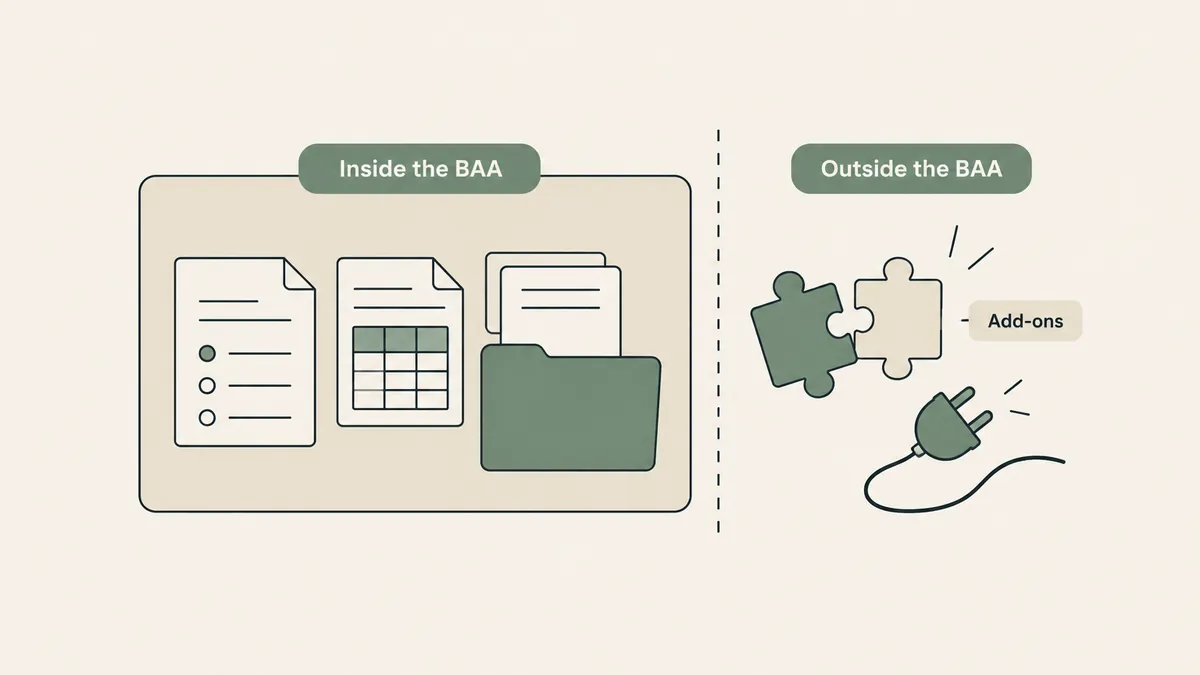
What the BAA leaves out
Google’s HIPAA help page states that third-party applications, add-ons included, are not part of the Included Functionality the BAA covers. Nor do the BAA terms extend to Additional Google Services.
Most people extend a Google Form by bolting something on. Say you install an add-on that collects signatures, or connect the response Sheet to a tool that texts you each new entry. Per Google’s guide, deciding whether you need a BAA with that company first is your responsibility.
The HIPAA Included Functionality list (shown as of August 31, 2026) names Google Forms under Google Drive, alongside Docs, Sheets, and Slides. If a Google service isn’t on that list, keep PHI out of it.
Putting a Google Form on your practice website
Google gives you two ways to share a form. Copy the responder link, or open the More menu, choose “Embed HTML,” and paste the code into a page on your site. A public contact form has to be open to anyone with the link. So what you ask on it matters.
Picture a prospective client finding you at 11 p.m. and typing three paragraphs about a recent hospitalization into a box labeled “Message.” You didn’t ask for it, and now it’s sitting in a spreadsheet.
Three recommendations, all of them ours and not Google’s:
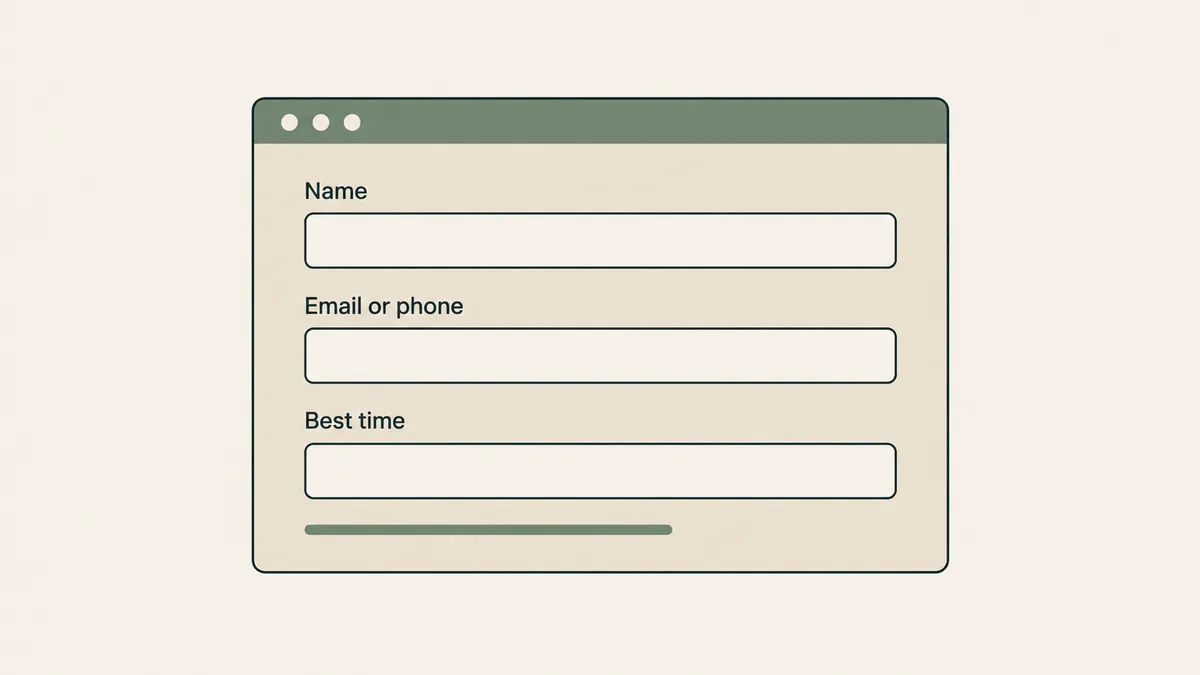
- Keep the public contact form short: name, email or phone, and a preferred time to reach them.
- Don’t ask for clinical detail on a form embedded in a marketing page. Skip the “what brings you in” box entirely.
- Next to any free-text field, tell people plainly not to include health details.
We work the same way on our private practice website design projects: contact forms go through a provider that signs a BAA, and they stay short. Your site platform has terms of its own, too. Squarespace, for one, says its form block can’t be part of a HIPAA-compliant solution. Our guide to HIPAA and website builders covers Wix and WordPress as well.
Where Google Forms runs short for a therapy practice
The trade-off, stated plainly: Google Forms under a BAA is legitimate and low-cost, and it still isn’t an intake system. Weigh three questions first.
Does it fit your site? An embedded form is Google’s form sitting inside your page. Preview it on a phone and decide whether it looks like your practice or like a survey.
Do you need signatures? Google’s eSignature help page describes signing in Docs and in PDFs stored in Drive. It doesn’t mention Forms. If signed consent paperwork is the goal, check that before you build.
Who handles the responses? They land in the form or in a Sheet. Getting them into a client’s record is on you.
If your EHR has a client portal with intake paperwork, use that for anything clinical. That’s our opinion: paperwork belongs next to the chart, not in a spreadsheet.
For the website side, a purpose-built form tool is often the simpler route. It’s also one more monthly bill. We list which vendors sign a BAA, and on which plan, in our HIPAA form builder comparison. Jotform gets its own breakdown in Is Jotform HIPAA compliant?
Questions therapists ask about Google Forms and HIPAA
Is Google Workspace HIPAA compliant?
Google offers a BAA to Workspace and Cloud Identity customers. It covers the services on Google’s HIPAA Included Functionality list, which includes Gmail, Google Calendar, Google Drive, and Google Meet. Using those services in compliance with HIPAA stays the customer’s responsibility, per Google’s guide.
Can I use a free Gmail account for a Google Forms HIPAA setup?
Google’s pages don’t answer that in so many words. They say the BAA is for Workspace and Cloud Identity customers, that it’s accepted in the Admin console, and that customers without one must not use PHI. A personal account has no Admin console.
Does the Google Workspace BAA cover add-ons?
No. Google states that third-party applications, including add-ons, sit outside the Included Functionality its BAA covers. Review any add-on before PHI reaches it.
If you searched “is Google Forms HIPAA compliant” hoping for a yes, here’s the one we’d stand behind: yes for a short contact form inside a Workspace account with the BAA accepted, no for anything built in a personal account, and your EHR’s portal for clinical paperwork. To have the contact form on your practice site set up with care from day one, get a custom quote through the Website Inquiry Form. The consultation is free.