Here’s something vendor sales pages won’t say out loud: there is no official HIPAA certification. No government seal, no registry, no badge that proves a company is compliant. So what are all those SOC 2 and ISO logos actually telling you? More than nothing, less than they imply. This guide translates security certifications and compliance audits into plain English for a practice owner choosing vendors.
There Is No Official HIPAA Certification
No U.S. government body certifies HIPAA compliance. The Department of Health and Human Services doesn’t issue certificates, and “HIPAA certified” on a sales page is a marketing claim, not a legal status. Vendors either self-attest to compliance or hire an independent auditor to verify their controls against HIPAA’s rules
That’s not a scandal — it’s just how the law works. HHS enforces HIPAA after something goes wrong; nobody stamps you approved in advance. A vendor that says “HIPAA certified” usually means one of two things: their staff completed a training course, or they paid a third party to assess their systems. Those are very different levels of assurance, and the badge won’t tell you which one you’re looking at.
Our honest take: “HIPAA certified” tells you more about a vendor’s marketing team than its security team. The vendors doing this well say something more careful — “HIPAA-aware infrastructure, BAA available” — and can show you what’s behind it.
One scope note before we go further. Whether your own website needs any of this is a different question, and we answered it in the real rules of HIPAA and therapist websites: a well-built therapy site shouldn’t store PHI at all. This post is about judging the vendors that do store it — your forms, scheduling, EHR, and email — plus how to audit your own setup once a year.
What SOC 2 Actually Proves
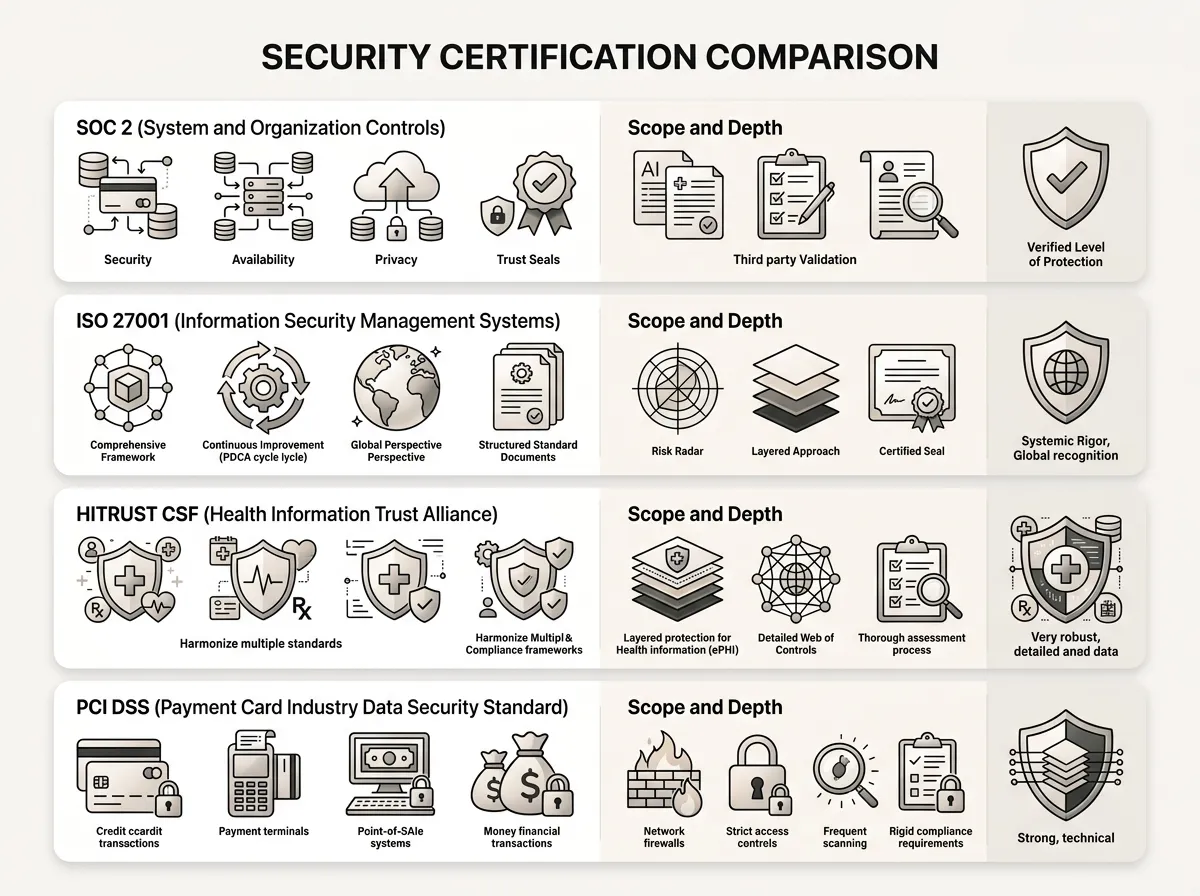
SOC 2 is an auditing framework from the AICPA, the US accountants’ body. A CPA firm examines a company’s controls around security, availability, and confidentiality, then writes a report. It’s the most common credential you’ll see on the security pages of form builders and practice-management tools.
Two flavors, and the difference matters:
- Type I looks at whether the controls were designed properly on a single day. A snapshot.
- Type II tests whether those controls actually operated over a period of months. A track record.
If a vendor only offers a Type I, treat it as a promising start, not proof. Type II is the one worth weight.
What SOC 2 doesn’t prove: HIPAA compliance. It’s a general framework, not a healthcare one, and it only covers the systems the vendor chose to put in scope. A company can hold a spotless SOC 2 report for one product while the tool you’re actually using sits outside the audit. Always check what the report covers.
ISO 27001, HITRUST, and the Rest of the Badge Wall
| Badge | Who grants it | What it tells you |
|---|---|---|
| “HIPAA certified” | Nobody official | Marketing claim; ask what’s behind it |
| SOC 2 (Type II) | Independent CPA firm | Security controls audited over months |
| ISO 27001 | Accredited certification body | Certified security management process |
| HITRUST | Authorized HITRUST assessor | Third-party audit mapped to HIPAA controls |
| PCI DSS | Payment card industry | Card payments handled safely; nothing else |
ISO 27001 is the international standard for running an information security management system, and unlike HIPAA it genuinely is certifiable — an accredited body audits the company and issues a certificate. It certifies the process, though, not the product. A vendor can be ISO 27001 certified and still ship a feature that mishandles your intake data.
HITRUST is the closest thing to a rigorous, HIPAA-mapped certification that exists. It’s a third-party assessment built around healthcare requirements, and it’s common among EHR platforms. Expensive to earn, which is why you’ll mostly see it on bigger healthcare vendors rather than your newsletter tool.
PCI DSS only concerns card payments. Relevant if you sell sessions or courses online; silent about everything else on this page.
And “GDPR compliant”? Self-declared. There’s no GDPR certificate either, so read it the way you now read “HIPAA certified.”
How to Read a Vendor’s Security Page in Five Minutes
You don’t need to become a security analyst. You need a repeatable five-minute pass:
- Find the BAA. For any tool touching client information, willingness to sign a Business Associate Agreement is the single strongest signal on the page. No BAA, no PHI — full stop.
- Check the scope. Which product, plan, or tier does the certification cover? BAAs and audits often apply only to specific plans.
- Look at the dates. A SOC 2 Type II report covers a period; ask when it ended. A 2022 report describes a company that no longer exists.
- Prefer reports to badges. Serious vendors will share the actual audit report, sometimes under NDA. A logo in the footer costs nothing.
- Read the encryption line closely. You want “in transit and at rest.” Half that sentence is half the protection.
- Search their breach history. A past incident isn’t disqualifying; a vague or defensive response to one is.
This is the vetting we do by default on every build through our private practice website design service — each form, booking, and email vendor on a client’s site gets its security page read so you don’t have to. Across 500+ therapist sites, step 1 has killed more vendor shortlists than the other five combined.
What a Compliance Audit of Your Own Site Looks Like
Vendors get audited by CPA firms. Your website setup gets audited by you, once or twice a year, in about an afternoon:
- Map the entry points. List every place client information can enter: contact forms, scheduling links, newsletter signups, email addresses on the site.
- Match each one to a BAA. Anything touching client data should route to a vendor with a signed agreement. Anything that can’t should be moved or removed.
- Check the basics. SSL valid and renewing, WordPress core and plugins current, old user accounts deleted, backups running. (The hosting half of this checklist gets its own treatment in our HIPAA hosting guide for therapy websites.)
- Read your own privacy policy. Does it describe what your site actually does today, or what it did two redesigns ago?
- Screenshot and date it. If a question ever comes up, documentation that you reviewed your setup is worth real money.
The trade-off worth admitting: a DIY afternoon audit won’t catch what a paid security assessment would. For a solo practice with a marketing site and BAA-covered vendors, we think the DIY pass is genuinely enough. A group practice running its own portal or storing records should budget for a professional assessment instead.
One more thing a checklist won’t fix — design shortcuts. A pretty theme speeds up how your site looks, never whether it’s set up safely; we covered what templates do and don’t handle in our guide to therapy website themes.