The best WCAG compliance tool for most therapist websites is free: run WAVE or axe DevTools for a page-level scan, use Lighthouse for a quick score, then accept that no scanner catches everything and do a short manual check on top. What you should not do is install an accessibility overlay widget and call it done — those have a track record of disappointing users and, increasingly, of attracting the exact lawsuits they promise to prevent. Here’s the full picture.
The three free scanners worth your time
Dozens of tools claim to check WCAG (the Web Content Accessibility Guidelines — the standard courts and regulators reference for web accessibility). Three free ones cover most of what automation can do at all.
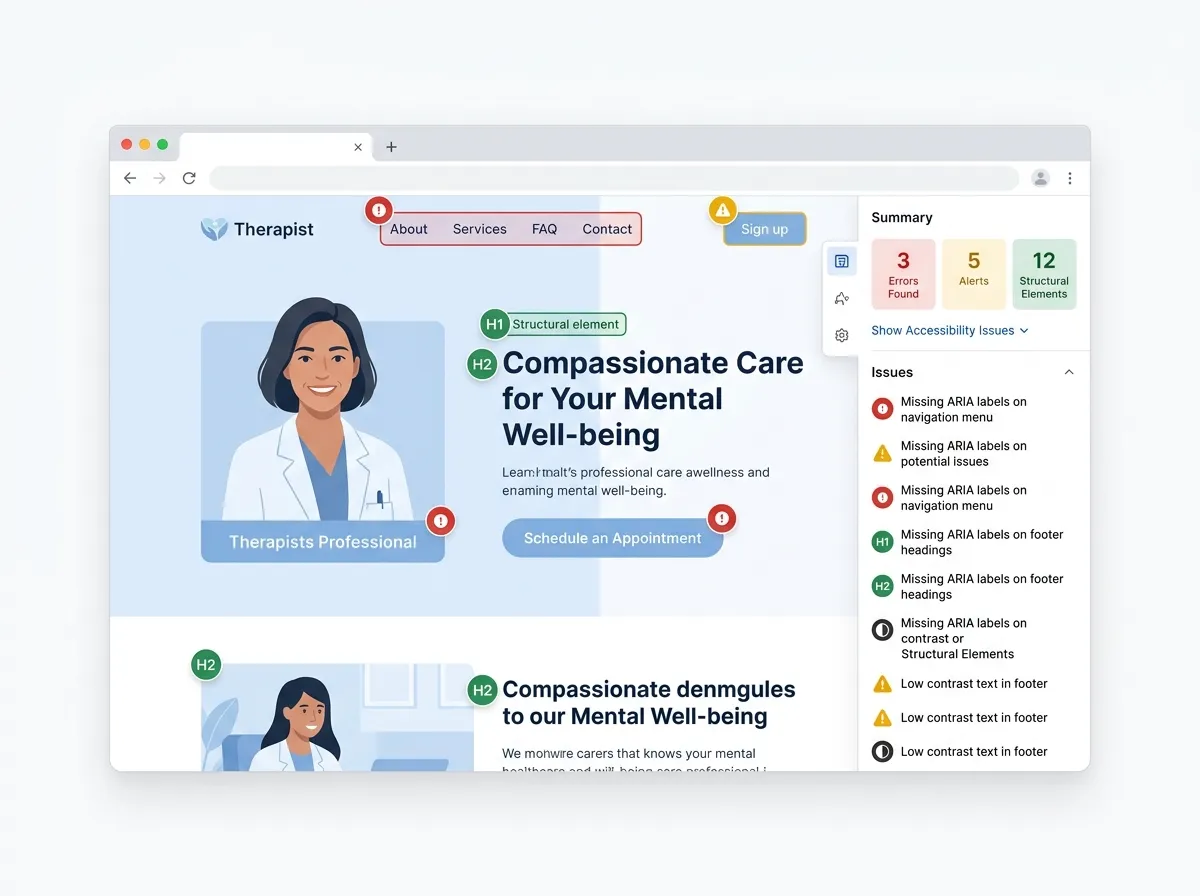
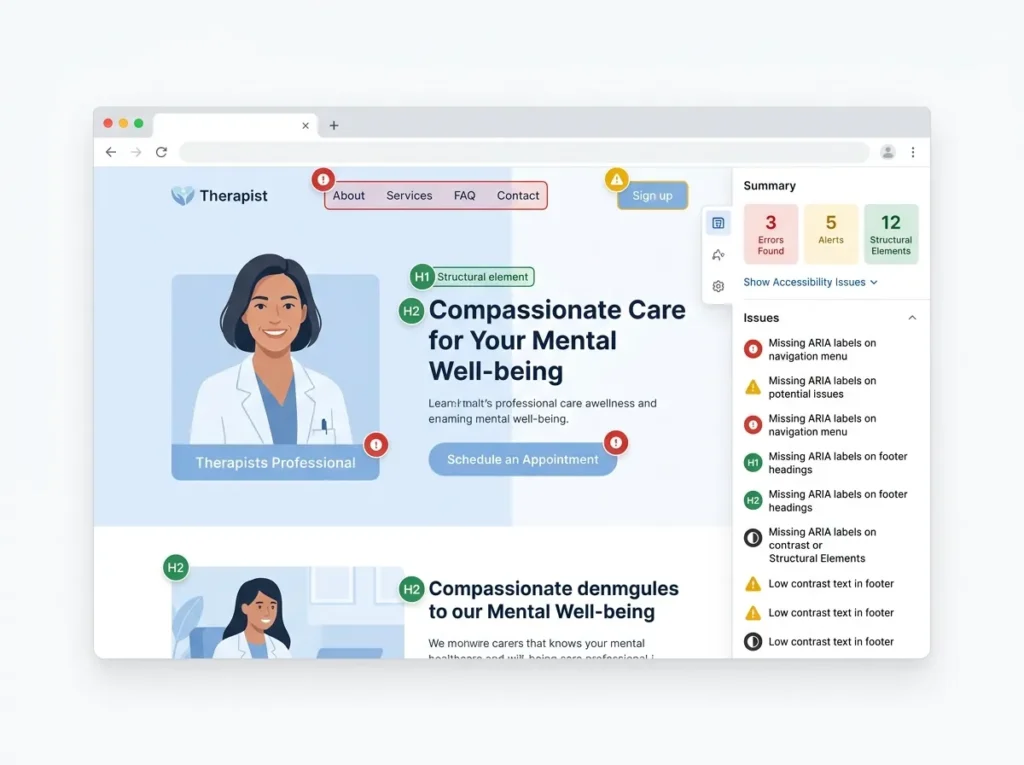
WAVE (WebAIM). Paste any URL into wave.webaim.org, or install the browser extension, and WAVE overlays your page with icons: red for errors like missing alt text and empty links, contrast flags, structural warnings. It’s the most visual of the three, which makes it the friendliest if you’ve never done this before. You can see the problem sitting on the page.
axe DevTools (Deque). A browser extension that runs the axe-core rules engine — the same engine underneath many enterprise accessibility platforms. The free scan reports issues with severity levels and points to the exact code element. Deque sells paid tiers with guided testing on top, but the free scan alone is genuinely useful, not a crippled demo.
Lighthouse (Google). Already inside Chrome: open DevTools, pick the Lighthouse tab, run an audit, get an accessibility score out of 100. Handy for tracking a number over time. One warning from us, though: Lighthouse runs a subset of automated checks, so a 100 does not mean an accessible site. We’ve watched people frame that score like a diploma. It’s a smoke detector, not a fire marshal.
Run at least two of the three. They overlap heavily but not completely, and each catches a few things the others phrase differently or miss.
What automated scans catch — and the bigger pile they miss
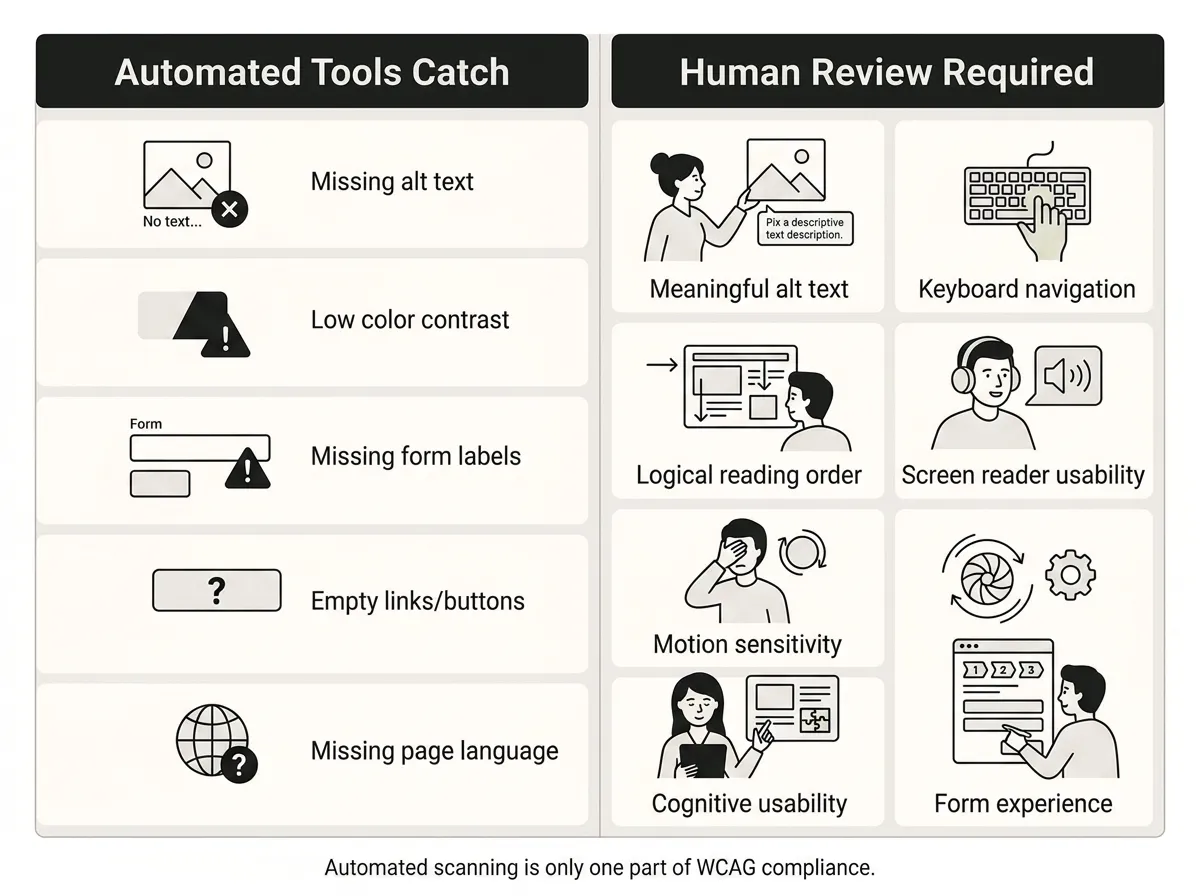
An automated WCAG scanner reliably finds problems with clear yes/no rules: missing alt attributes, insufficient color contrast, form fields without labels, missing page language, empty buttons and links. Everything requiring human judgment — whether the alt text is meaningful, whether the page works by keyboard, whether the reading order makes sense — needs a person.
How much do scanners actually cover? Depends how you count, and the numbers vary more than vendors admit. Deque’s own large-scale study found its automated rules caught about 57% of accessibility issues by volume, while analyses that count WCAG success criteria instead of issue volume put reliable automated coverage far lower — Accessible.org pegs it around 13% of criteria. The fair summary: automation finds a minority of what WCAG asks for, weighted toward the easy stuff.
That gap matters for your visitors, not just your legal posture. A therapy site’s typical failures — a contact form a screen reader can’t parse, a booking flow that traps keyboard users, animations that overwhelm sensory-sensitive visitors — are exactly the kind automation half-sees or misses entirely. For the design side of that problem, our post on autism-friendly web design covers what scanners will never flag.
Why overlay widgets disappoint — and can add legal exposure
You’ve seen the pitch: add one line of JavaScript, a little accessibility icon appears in the corner, and your site is “compliant.” It’s the most tempting product in this space and, in our view, the worst buy on this page.
Three verifiable reasons:
- The people they’re for keep saying they don’t work. The Overlay Fact Sheet, an open statement at overlayfactsheet.com signed by hundreds of accessibility practitioners and disabled users, documents how overlays fail to fix underlying code and often interfere with the screen readers people already use.
- Regulators have acted. In 2025 the FTC’s final order against accessiBe, one of the biggest overlay vendors, included a $1 million payment over claims that its AI widget could make any website WCAG-compliant — the order bars unsubstantiated compliance claims going forward.
- Overlays show up in lawsuits, not just in spite of them. EcomBack’s 2025 ADA lawsuit report counted 983 suits filed against websites that had a widget installed — roughly a quarter of all cases tracked that year, a share that rose from 2024. UsableNet’s 2024 data showed a similar proportion. Plaintiffs’ firms can detect overlay code, and some complaints now cite the widget itself as a barrier.
An overlay can make sense as a stopgap for a feature or two while real fixes happen. As the fix itself, it’s renting the appearance of compliance. Spend the money on your actual site.
A manual checklist you can run without a developer
Fifteen minutes, no technical skills, catches problems every scanner misses:
- Unplug your mouse (or just don’t touch it) and Tab through your site. Can you reach the menu, every link, and your contact form? Can you always see which element is focused? If you get stuck anywhere, so does every keyboard user.
- Read your images’ alt text aloud — does it convey what a client would need, or does it say “IMG_4032”?
- Zoom to 200% in your browser. Does the text reflow, or does the layout break and hide your booking button?
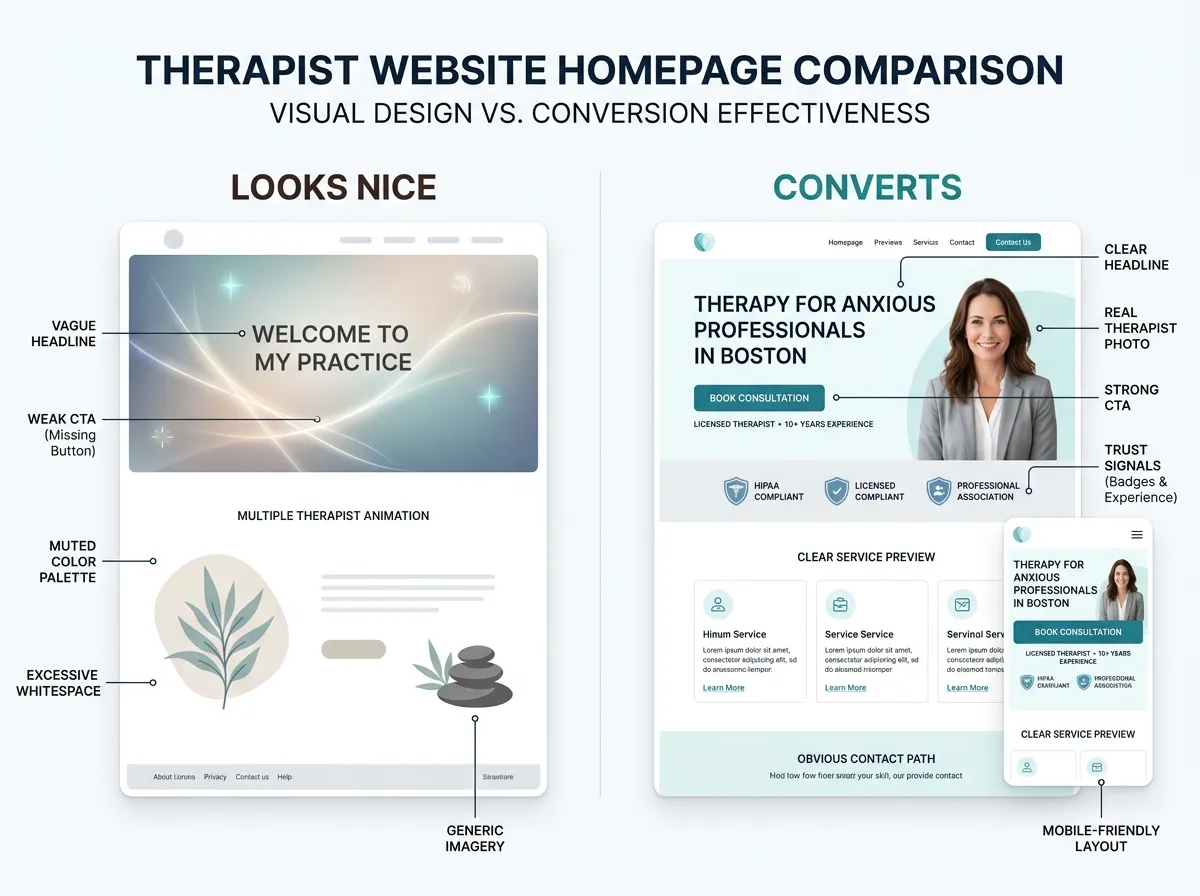
- Check your gray-on-white text. Therapy sites love soft, low-contrast palettes; run your brand colors through WebAIM’s free contrast checker (WCAG asks for 4.5:1 on normal text). Calm and readable aren’t in conflict, but plenty of “calming” sites fail this.
- Play any video muted. Captions there? Transcripts for audio?
- Fill your contact form in wrong on purpose. Does the error say what to fix, or just turn something red?
- Look for motion. Auto-playing carousels and parallax effects should be removable or pausable — a genuine issue for trauma and sensory-sensitive visitors.
Fix what you find, re-scan, repeat. Accessibility work is maintenance, not a certificate. It’s also simply good practice-building: the same choices make your site easier for stressed, distracted, first-time visitors, which is every therapy client. This is why every site we build is designed to WCAG 2.1-aligned standards from the start — it’s baked into our private practice website design process rather than bolted on after.
When to pay for a professional audit
Free tools plus the manual checklist will carry a small practice site a long way. Pay for a human audit when the stakes or the complexity outgrow them:
- You’ve received a demand letter or complaint (talk to a lawyer first, then an auditor).
- Your site handles complex flows — client portals, embedded scheduling, e-commerce — where automated coverage is weakest.
- You serve a population where accessibility is core to your practice identity, and you want testing by actual assistive-technology users, not just rule-checkers.
- You’re commissioning a redesign and want accessibility verified before launch, when fixes are cheap, instead of after, when they aren’t.
Audit pricing varies widely with site size and depth (rule-based review versus testing with disabled users), so get scoped quotes rather than trusting a flat number from a blog — including this one. And the honest trade-off: a professional audit tells you what’s broken; it doesn’t fix anything. Budget for remediation, not just the report, or you’ll own an expensive PDF and the same website. For where accessibility standards are heading next, see our post on emerging accessibility trends for inclusive design.
FAQ
What is the best free WCAG compliance tool?
Do automated accessibility checkers catch everything?
Are accessibility overlay widgets WCAG compliant?
Does WCAG legally apply to a therapist’s website?
The short version
Run WAVE and axe this week, do the fifteen-minute manual pass, skip the widget. If your current site fails more of this than you want to fix piecemeal, tell us what you’re working with through the website inquiry form — accessibility is part of how we build, not an add-on we upsell.