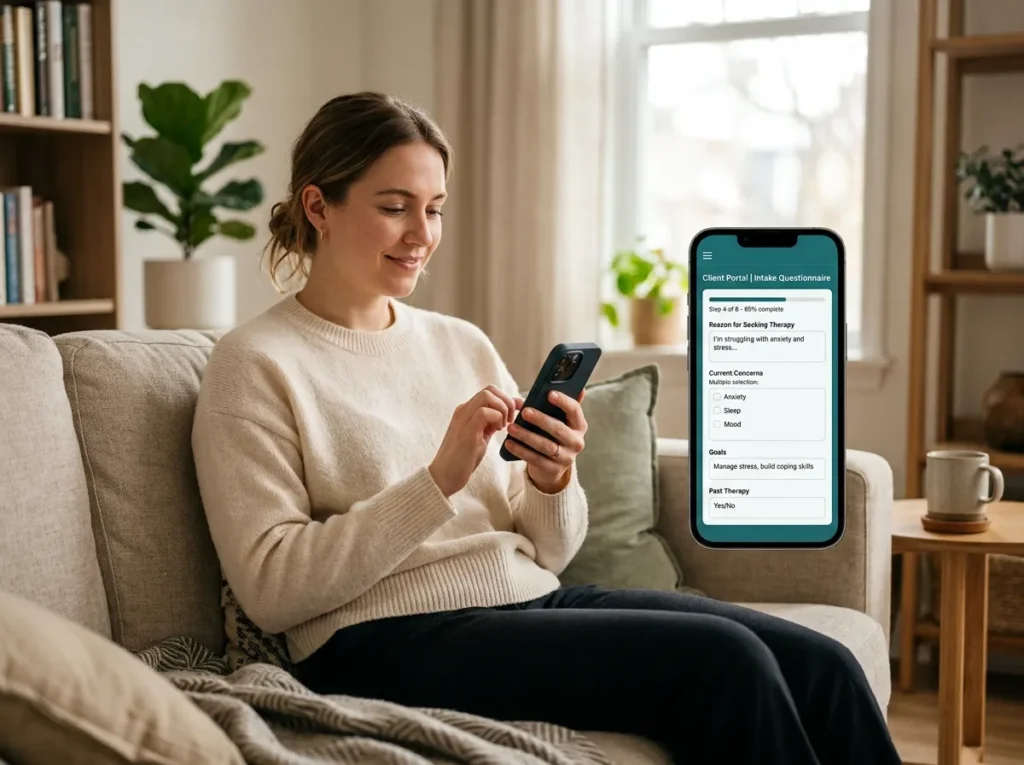
Most therapists treat the client portal as a footnote when they shop for an EHR. That’s backwards. The portal is the only part of your EHR your clients ever touch, and it quietly decides how much admin lands on you every week: who chases paperwork, who fields reschedule calls, who sends the “just checking on that invoice” email.
Here’s what a good portal takes off your plate, and how it should work with your website instead of against it.
What is an EHR client portal?
An EHR client portal is a secure, password-protected site your EHR provides where clients complete intake forms, request or book appointments, exchange messages with you, join telehealth sessions, and pay for care. It’s included with most major therapy EHRs and covered by the vendor’s Business Associate Agreement.
That last clause is the whole reason portals exist. Email isn’t covered by a BAA by default; your website’s contact form usually isn’t either. The portal is the one channel where clinical information can move between you and a client with the right agreements and safeguards already in place.
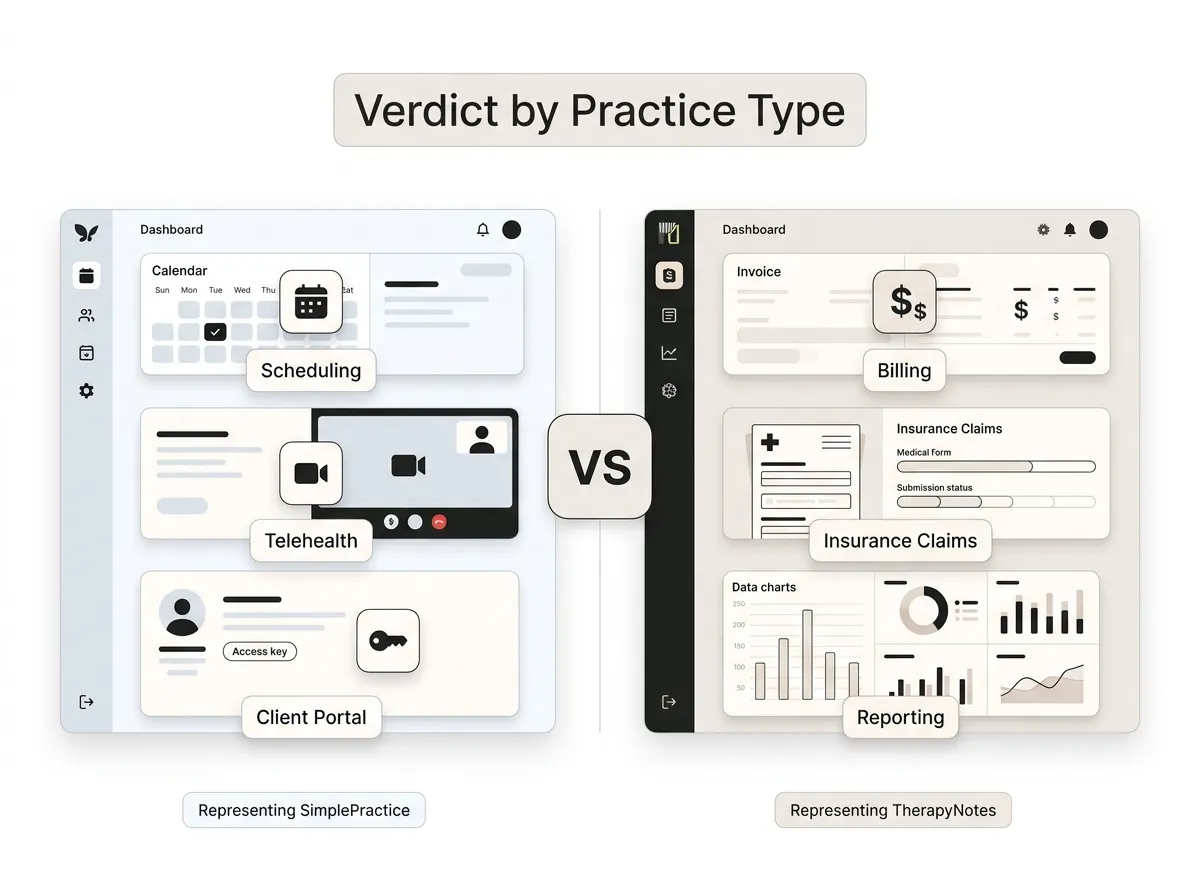
The big therapy platforms all ship one. TherapyNotes includes its portal (TherapyPortal) with every subscription at no extra cost, and SimplePractice’s portal comes with a client-facing mobile app. If you’re still deciding between platforms, our guide to the best EHR systems for therapy practices compares the options; this post is about making whichever portal you get actually earn its keep.
Intake: the portal’s biggest single time-saver
Before portals, intake meant a PDF attached to an email, printed, half-completed in the waiting room, then typed back in by you.
Through the portal, a new client gets a secure link, fills out consent forms and history questionnaires on their phone, signs electronically, and the completed documents file themselves into the chart. You review instead of transcribe. No PHI sits in your inbox, and no first session gets burned on paperwork.
One habit worth building from day one: send intake the moment a consult is booked, not the day before the appointment. Completion rates drop when forms arrive during a busy workweek, and a client who finished intake three days early is measurably less likely to ghost the first session than one still staring at a blank form the night before.
Scheduling and reminders that don’t route through you
Portals handle scheduling on a spectrum, and you choose the setting.
At one end: clients see your real openings and book directly. At the other: they submit a request you approve. Direct booking suits established clients; request-and-approve gives you a screening step for new ones. Either way, automated email and text reminders go out without you touching anything, and clients can confirm or reschedule from the same screen.
The reminder piece matters more than it sounds. Missed sessions are lost revenue you can’t recover, and reminders are the cheapest fix that exists. Vendors publish their own no-show numbers, so take those with salt, but you’ll feel the difference in the first month regardless.
Messaging and payments, without the compliance headache
Secure messaging inside the portal replaces the gray zone of texting clients from your personal phone. Messages stay inside the BAA-covered system, attach to the client record, and don’t mingle with your family group chat.
Payments work the same way: card on file, automatic charges after sessions, statements and superbills downloadable by the client whenever they need them. The awkward money conversation becomes a receipt.
Neither feature is glamorous. Both are the difference between a practice that runs on systems and one that runs on your memory.
Your website and your portal have different jobs
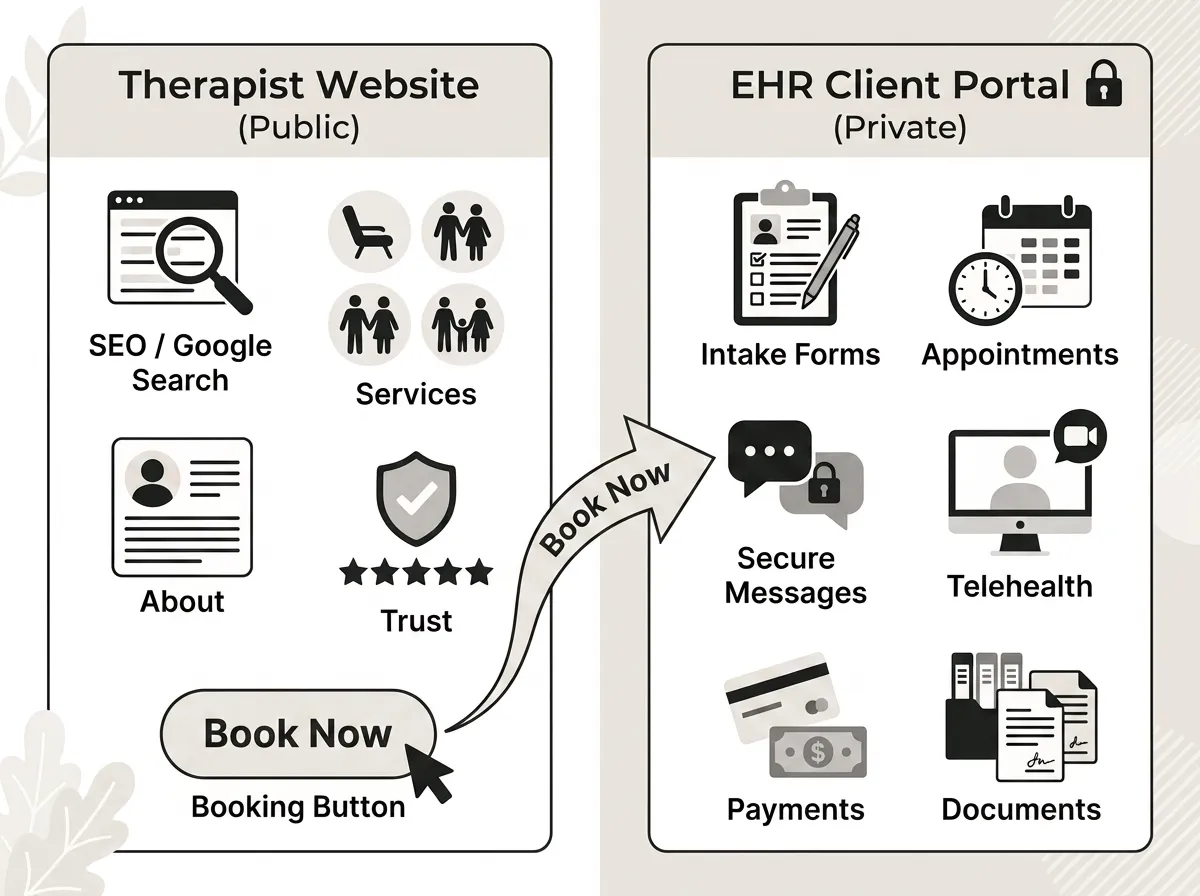
Here’s the mental model that sorts out almost every “should this go on my site?” question: your website is the front door, your portal is the locked filing room.
The website is public. Its job is persuasion and discovery: ranking on Google, explaining who you help, building enough trust that a stranger takes action. It should hold zero client information. Ever.
The portal is private. Its job starts after someone decides to work with you: intake, scheduling, records, messages, money. It sits behind a login and under a BAA.
Trouble starts when the jobs blur. A website that tries to collect clinical detail through a generic contact form has wandered into the filing room. A practice that relies on its EHR’s bare portal page as its entire web presence has boarded up the front door, because portal pages don’t rank for “anxiety therapist in Denver” and don’t persuade anyone of anything. (The portal also shouldn’t be confused with marketing tools that track prospects; that’s a different system, and we’ve drawn that boundary in our EHR vs. CRM breakdown.)
You need both, doing their own jobs, connected in exactly one place: the booking button. That connection is a design decision, and it’s one we plan deliberately in every private practice website we build.
Route “book now” into the portal, not a contact form
This is the conversion detail most therapy websites get wrong, and it’s expensive.
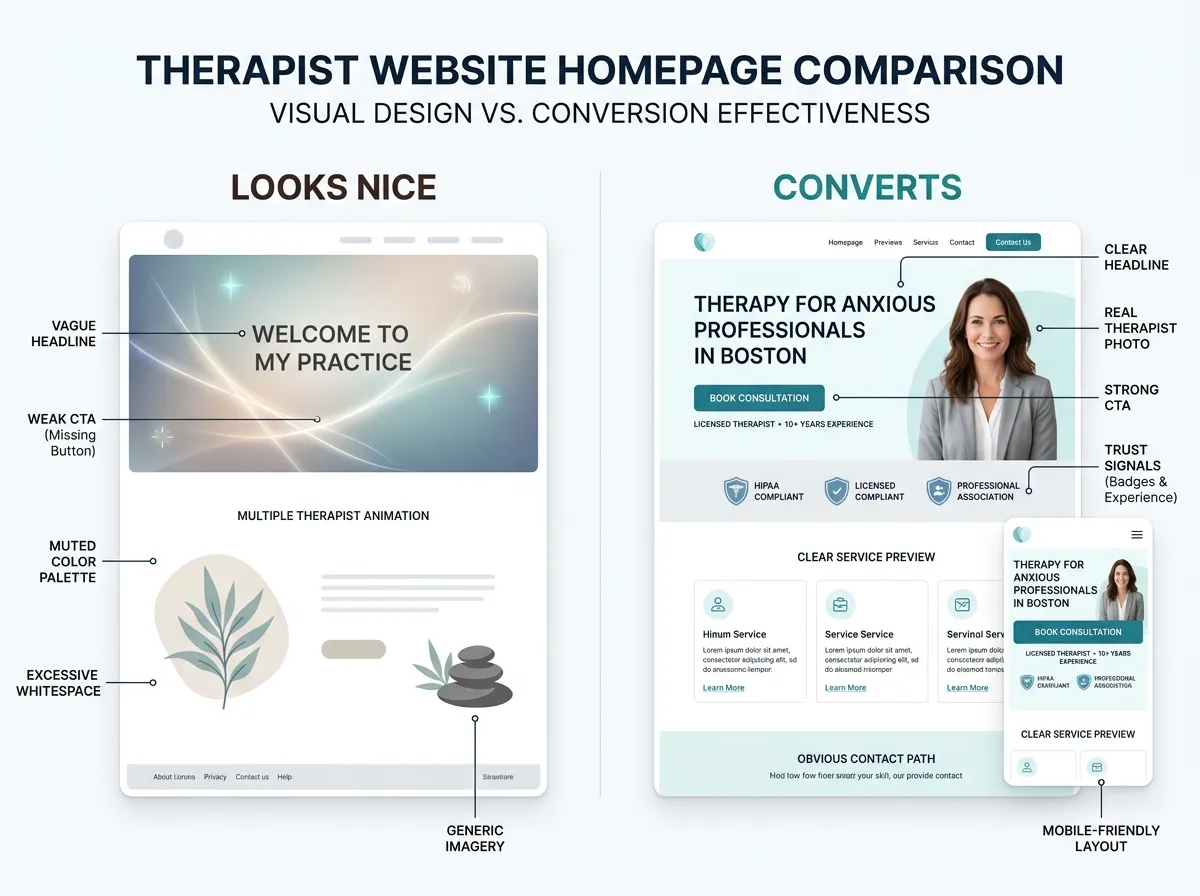
Say a prospective client finds your site at 11 p.m. on a Sunday, which is precisely when people look for therapists. She’s anxious, she’s finally ready, and she clicks “Get in touch.” A generic form promises “we’ll get back to you within 48 hours.” Momentum dies right there. By Tuesday she’s booked with the practice down the road whose button led somewhere real.
Now rerun the scene with the button routed into your EHR: she lands on a booking widget or portal page, sees Thursday at 4 p.m. actually available, requests it, and gets a confirmation before she closes the laptop. Same website traffic. Different caseload.
Practically, that means embedding your EHR’s booking widget or linking to its portal booking page. Check your plan first, though: SimplePractice, for example, gates its appointment-request widget to specific plan tiers, so confirm what your subscription includes before you design around it. The wiring details, including what should never be embedded, are in our guide to connecting your EHR to your therapist website.
Where portals fall short
An honest limitation: portals add friction at the exact moment a hesitant person is easiest to lose. Creating an account, setting a password, and verifying an email is trivial for your Tuesday regular and a real hurdle for a first-timer who took twenty minutes to work up the nerve to look for help.
You can soften that without giving up the portal. Keep a phone number and a low-stakes “not ready to book?” contact option visible. Tell people on the booking page what to expect: “You’ll create a secure account first; it takes about two minutes.” Plain expectation-setting rescues a surprising share of near-abandoners.
The other limits are cosmetic but worth knowing: the portal lives on the vendor’s domain, wears the vendor’s design, and you don’t control its user experience. Your brand ends at the login screen. We’d still take that trade every time, because the alternative is handling PHI on infrastructure that was never meant for it.
FAQ: EHR client portals
Is an EHR client portal secure enough for therapy clients?
Can clients book appointments directly through the portal?
Do I still need a website if my EHR gives me a portal page?
What if a client won’t use the portal?
If your EHR client portal is set up but your website still funnels everyone into a “we’ll get back to you” form, the fix is one well-placed connection away. Start a website inquiry and we’ll map how your site and portal should divide the work — the consultation is free.