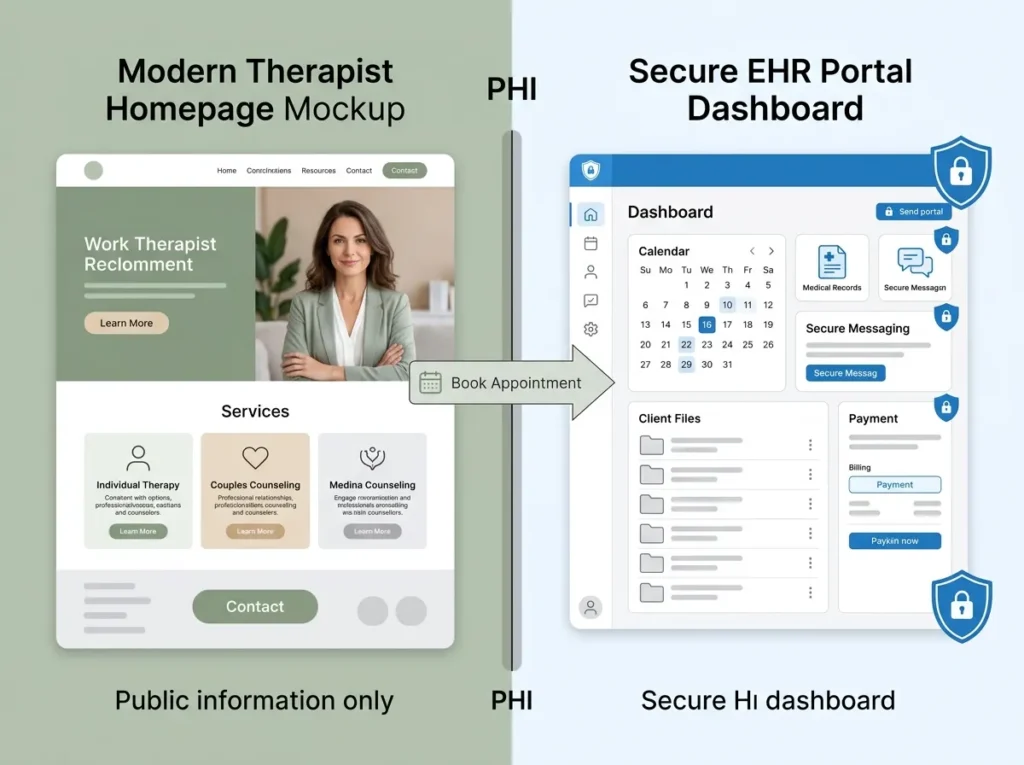
Connecting your EHR to your therapist website comes down to one rule: the website markets, the EHR stores. Every piece of clinical information (intake answers, session notes, messages, payment records) belongs inside the EHR, behind a login, under a BAA. Your website’s only job is to move a ready visitor across that boundary with as few clicks as possible.
Get that rule right and the technical choices get easy. Get it wrong and you can end up with client health information sitting in a WordPress database that was never meant to hold it. Both outcomes are one design decision apart, which is why this is worth fifteen minutes of your attention.
The one rule: your website holds no PHI
Your marketing site is public infrastructure. It runs on a commercial web host, gets crawled by Google, and passes traffic through analytics tools. None of that is built for protected health information, and none of those companies has signed a BAA with you.
So the boundary is absolute: your website should know nothing about your clients that a stranger couldn’t know. Names attached to health concerns, intake answers, appointment histories — all of it lives in the EHR, which exists precisely to hold PHI and whose vendor signs a BAA as part of the deal.
This is also why “HIPAA-aware website” is mostly a marketing phrase. A therapist website built right never touches PHI, so there’s nothing on it for HIPAA to protect; what you want is HIPAA-aware design that keeps it that way. We’ve unpacked that distinction properly in our guide to what HIPAA actually requires of therapist websites.
Three ways to connect your EHR to your therapist website
There are three connection methods, and they differ mostly in how much they cost to get wrong.
Portal links are the simplest: a button on your site that sends people to your EHR’s hosted portal login. Nothing sensitive ever touches your site. Setup takes minutes and there’s nothing to maintain.
Embedded widgets are the vendor’s booking or appointment-request tool dropped into your page. The widget looks like part of your site, but everything typed into it goes straight to the EHR’s servers, not yours. Best of both: visitors stay on your domain, PHI doesn’t.
API integrations connect your site to the EHR programmatically for custom, real-time functionality. They’re powerful, they require a developer, and they need ongoing maintenance every time the vendor updates something. For a solo practice, an API build is usually money spent on a problem you don’t have. Group practices with custom workflows are a different conversation.
| Method | Best for | Watch out for |
|---|---|---|
| Portal link | Every practice; existing clients | Sends visitors off your domain |
| Embedded widget | New-client booking on your site | Plan-tier availability; verify data goes to the EHR |
| API integration | Larger groups, custom workflows | Developer cost, ongoing maintenance |
Booking widget or portal link? Use both, for different people
Your website serves two audiences with opposite needs, and one button can’t serve them both well.
Prospective clients need the lowest-friction path to a first appointment. That’s the embedded widget’s job: they request a consult right on your site, no account creation standing between nerve and action. Check your EHR plan before designing around this, since some vendors gate the widget to higher tiers.
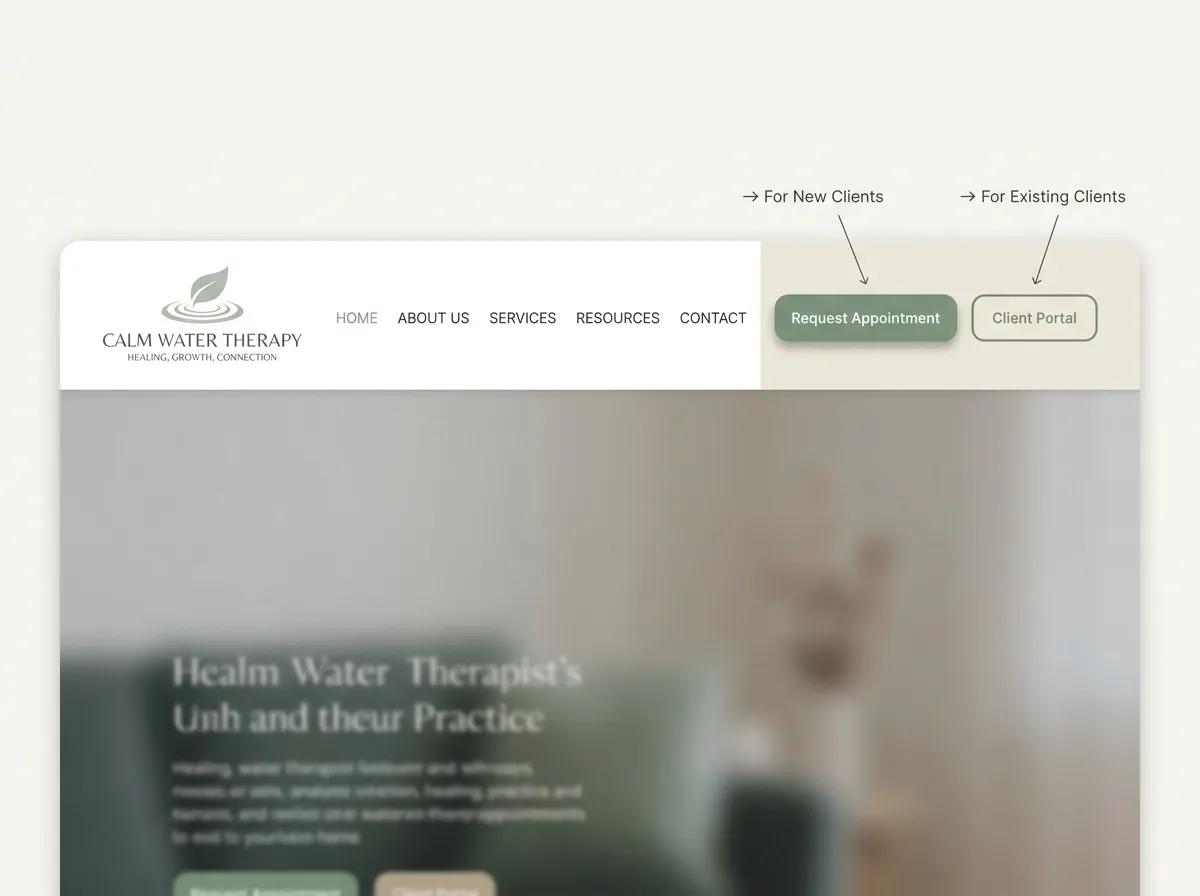
Current clients need to reach the portal: reschedule, pay, message, join a telehealth session. A clearly labeled “Client portal” link in your header and footer covers them in one click.
So the pattern we build into therapist sites looks like two distinct doors: “New here? Request an appointment” routed through the widget, and “Current client? Portal login” routed to the EHR. What the portal does once they’re through that second door is its own topic; we’ve covered it in our guide to EHR client portals for therapists.
HIPAA-aware forms: what your contact form can ask
You still want a plain contact form for the people not ready to book. Keep it shallow on purpose.
Name, contact details, and a general “how can we help?” is plenty. Add a short line under the message field: “Please don’t include detailed health information here; we’ll cover everything in your consultation.” That one sentence does real compliance work, and it reads as care rather than legalese.
If your form collects anything close to health information — even “what brings you to therapy?” can cross the line once it’s attached to a name — the form processor and anything it emails or stores needs to be a service that will sign a BAA. This is exactly why we build BAA-compliant forms into therapist sites rather than bolting on whichever form plugin ships with the theme.
What goes wrong: PHI on the web server
Here’s the failure mode that makes this whole article matter, because we see versions of it in client audits regularly.
A therapist rebuilds their intake questionnaire in a generic form plugin so clients can “fill everything out on the website.” It works beautifully. Every submission also gets stored in the website’s database and emailed to the practice inbox. That’s detailed health information, tied to names, sitting on a commercial web host and a standard email account — no BAA anywhere in the chain, no encryption designed for PHI, no audit trail. One compromised plugin or leaked inbox, and it’s a reportable breach.
The fix isn’t better form security. The fix is not collecting intake on the website at all. Intake belongs in the EHR’s portal, which was built to hold it; if you want the embedded feel, use the EHR’s own hosted forms or widget, where submissions land on the vendor’s covered servers.
Two smaller versions of the same mistake: routing new-client details into a newsletter tool that has no BAA, and running ad or analytics pixels on booking confirmation pages. HHS has published guidance on tracking technologies for covered entities, and the short version is that trackers and health information don’t mix. Audit what fires on any page a client reaches after identifying themselves.
What a well-wired therapist site looks like
Walk through it from the client’s side. Someone searches “EMDR therapist near me” at 10 p.m., lands on your specialty page, and reads enough to feel understood. She clicks “Request an appointment,” picks a consult slot in the embedded widget, and gets a confirmation. The next morning, an intake link arrives from your EHR; she completes forms inside the portal on her phone. Your website never learned anything about her beyond an anonymous page view.
That’s the entire architecture: the site persuades, the widget converts, the EHR contains. Which EHR you’re connecting matters less than getting those roles straight, though if you’re still choosing, start with our rundown of the best EHR systems for therapy practices.
The honest caveat: done this way, parts of the experience happen on the vendor’s domain, in the vendor’s design. You give up some brand control at the exact moment someone becomes a client. We think that trade is obviously correct (brand polish isn’t worth holding PHI on a marketing site), but it’s a trade, and you should make it knowingly. Every private practice website we design is planned around this handoff so the transition feels deliberate rather than abrupt.
FAQ: connecting an EHR to your website
Can I embed my EHR’s intake forms on my website?
Do I need a BAA with my web host?
Will connecting my EHR slow my website down?
Which EHR is easiest to connect to a therapist website?
If your current site still funnels every visitor into a generic contact form, or worse, collects intake on your web server, the fix is a straightforward rewiring job. Start with the Website Inquiry Form and we’ll map how to connect your EHR to your therapist website cleanly — free consultation, clear plan, no obligation.