Speed Up Your Website: Best Image Optimization Tools
Best Image Optimization Tools for Faster Websites: How to Compress and Convert Images Efficiently
In the digital age, website speed is crucial for user experience and search engine rankings. Image optimization plays a significant role in enhancing website performance by reducing load times and improving overall efficiency. This comprehensive guide will explore the best image optimization tools available, their features, and how they can help you compress and convert images effectively. Many website owners struggle with slow loading times due to unoptimized images, which can lead to higher bounce rates and lower conversions. By utilizing the right image optimization tools, you can significantly improve your website’s speed and user engagement. This article will cover the importance of image compression, the top tools available, best practices for optimization, and how to choose the right tool for your needs.
What Are Image Compression Tools and Why Are They Essential for Website Speed?
Image compression tools are software applications designed to reduce the file size of images without significantly compromising quality. These tools are essential for website speed because they help decrease loading times, which is a critical factor in user experience and search engine optimization. When images are optimized, they consume less bandwidth and load faster, leading to improved performance and user satisfaction.
Indeed, the fundamental role of image compression in optimizing web performance is widely recognized, encompassing various techniques to achieve efficiency.
Image Compression Techniques for Website Speed
Image compression is the process of minimizing the size of images by removing or grouping certain parts of an image file without affecting the quality, thereby saving storage space and bandwidth. Image compression plays a vital role where there is a need for images to be stored, transmitted, or viewed quickly and efficiently. There are different techniques through which images can be compressed. This paper mainly focuses on the survey of basic compression techniques available and the performance metrics that are used to evaluate them.
Comprehensive review on lossy and lossless compression techniques, S Elakkiya, 2022
How Does Image Compression Improve Website Loading Times?
Image compression improves website loading times by reducing the amount of data that needs to be transferred when a user accesses a webpage. Smaller image files load more quickly, which enhances the overall speed of the site. For instance, a website with optimized images can load in a fraction of the time compared to one with uncompressed images, leading to a better user experience and potentially higher search engine rankings.
What Are the Differences Between Lossy and Lossless Compression?
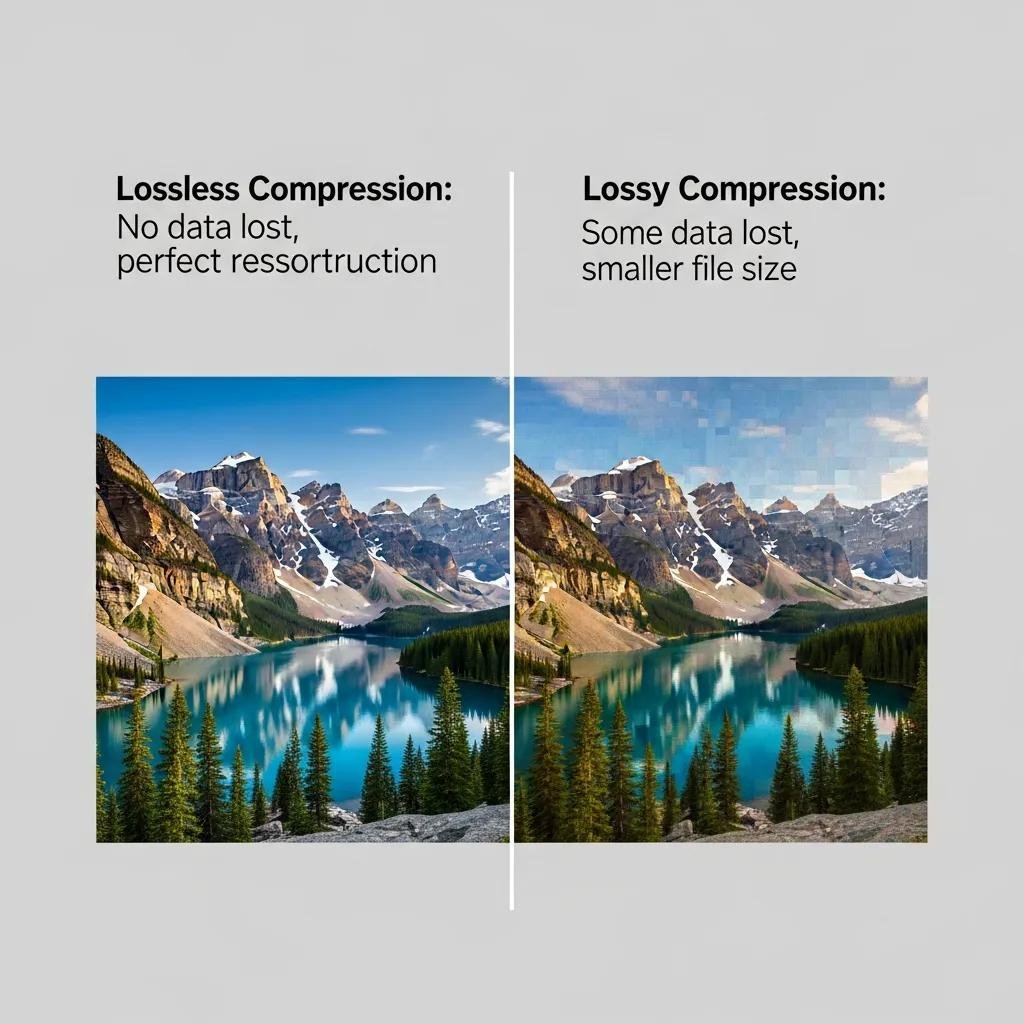
Lossy and lossless compression are two primary methods of image compression. Lossy compression reduces file size by permanently removing some data, which can result in a decrease in image quality. This method is often used for web images where smaller file sizes are prioritized over perfect quality. In contrast, lossless compression reduces file size without losing any data, preserving the original image quality. This method is ideal for images that require high fidelity, such as product photos or graphics.
Which Website Image Optimizers Offer the Best Features for Fast Loading Images?
When selecting an image optimizer, it’s essential to consider the features that will best suit your needs. The best tools offer a combination of automatic optimization, support for various image formats, and user-friendly interfaces.
What Are the Top Tools for Automatic Image Optimization?
Several tools stand out for their automatic image optimization capabilities:
- TinyPNG: This tool uses smart lossy compression techniques to reduce the file size of PNG and JPEG images without compromising quality.
- ImageOptim: A popular choice for Mac users, ImageOptim compresses images by removing unnecessary metadata and optimizing file formats.
- Kraken.io: This tool offers both lossy and lossless compression options, along with a user-friendly interface and API for developers.
How Do These Tools Handle Different Image Formats?
Different image optimizers support various formats, which is crucial for ensuring compatibility with your website. For example, TinyPNG specializes in PNG and JPEG formats, while Kraken.io supports a broader range, including GIF and WebP formats. Understanding how each tool handles different formats can help you choose the right one for your specific needs.
How to Optimize Images for Web: Best Practices and Techniques
Optimizing images for the web involves more than just using the right tools; it also requires following best practices to ensure maximum efficiency.
What Are the Recommended Image Dimensions and Resolutions for Websites?
When optimizing images, it’s essential to use the correct dimensions and resolutions. Ideally, images should be sized to fit the specific area they will occupy on the webpage. For example, a full-width banner image should be at least 1920 pixels wide, while smaller images can be around 800 pixels wide. Additionally, using a resolution of 72 PPI (pixels per inch) is sufficient for web images, as higher resolutions are unnecessary and can lead to larger file sizes.
How Can You Use WebP Image Conversion to Enhance Performance?

WebP is a modern image format that provides superior compression for images on the web. By converting images to WebP format, you can achieve smaller file sizes without sacrificing quality. Many image optimization tools, such as Squoosh and CloudConvert, offer WebP conversion options, making it easy to enhance your website’s performance.
Beyond file size reduction, WebP also offers a significant advantage in decoding speed, further contributing to faster website performance.
WebP Compression: Decoding Speed Advantage
The comprehensive performance of Webp to decode the same image, which means that the decoding speed of WebP is 5 times
Comparative performance analysis of web image compression, 2017
What Are the Benefits of Using WebP Image Conversion for Faster Websites?
How Does WebP Compare to JPEG and PNG Formats?
WebP images typically have smaller file sizes compared to JPEG and PNG images while maintaining similar or better quality. For instance, WebP can reduce file sizes by around 25-34% compared to JPEG, making it an excellent choice for web use. This reduction in file size translates to faster loading times and improved user experience.
Further research underscores the significant performance advantages of modern image formats like WebP and AVIF in reducing page load times across various browsers.
Web Image Formats: Performance & Page Load Time
In 2023, images on the web make up 41% of transmitted data, significantly impacting the performance of web apps. Fortunately, image formats like WEBP and AVIF could offer advanced compression and faster page loading but may face performance disparities across browsers. Therefore, we conducted performance evaluations on five major browsers – Chrome, Edge, Safari, Opera, and Firefox – while comparing four image formats. The results indicate that the newer formats exhibited notable performance enhancements across all browsers, leading to shorter loading times. Compared to the compressed JPEG format, WEBP and AVIF improved the Page Load Time by 21% and 15%, respectively.
Web image formats: Assessment of their real-world-usage and performance across popular web browsers, B Dornauer, 2023
Which Tools Support Efficient WebP Conversion?
Several tools support WebP conversion, including:
- Squoosh: A web-based tool that allows users to compress images and convert them to WebP format easily.
- CloudConvert: An online file conversion service that supports a wide range of formats, including WebP.
- GIMP: A free image editing software that can export images in WebP format, making it a versatile option for users.
How to Choose the Right Image Optimization Tool for Your Website Needs?
Selecting the right image optimization tool is crucial for achieving the best results. Consider the following factors when making your choice.
What Factors Should You Consider When Selecting an Image Optimizer?
When choosing an image optimizer, consider factors such as ease of use, supported formats, and the level of compression offered. Additionally, look for tools that provide batch processing capabilities, allowing you to optimize multiple images simultaneously, which can save time and effort.
Are There Free vs. Paid Options Worth Considering?
There are both free and paid image optimization tools available. Free options, such as TinyPNG and Squoosh, offer excellent basic features for casual users. However, paid tools like Kraken.io and ImageOptim often provide advanced features, better support, and more robust performance, making them worth considering for businesses with higher demands.
How to Implement Image Optimization Tools for Continuous Website Speed Improvement?
Integrating image optimization tools into your workflow is essential for maintaining website speed over time.
What Are the Best Practices for Integrating Optimization Tools into Your Workflow?
To effectively integrate image optimization tools, establish a routine for optimizing images before uploading them to your website. This can include setting up automated processes or using plugins that optimize images on-the-fly as they are uploaded.
How Can You Monitor and Maintain Optimized Images Over Time?
Regularly monitor your website’s performance using tools like Google PageSpeed Insights or GTmetrix to ensure that your images remain optimized. Additionally, periodically review your image library to remove any outdated or unoptimized images that may be slowing down your site.
Image optimization is a critical aspect of website performance that can significantly impact user experience and search engine rankings. By utilizing the right tools and following best practices, you can ensure that your images are optimized for fast loading times, ultimately leading to a more efficient and user-friendly website.